01
Unified channel view
Filter by WhatsApp, website or Instagram, or see every conversation together without switching accounts and apps.

Features/AI & Conversations
WhatsApp, website chat and Instagram enquiries land in the same inbox. Your team sees the contact, channel, stage, score and last activity at a glance, while the AI handles routine conversations and surfaces the ones that need human judgment.
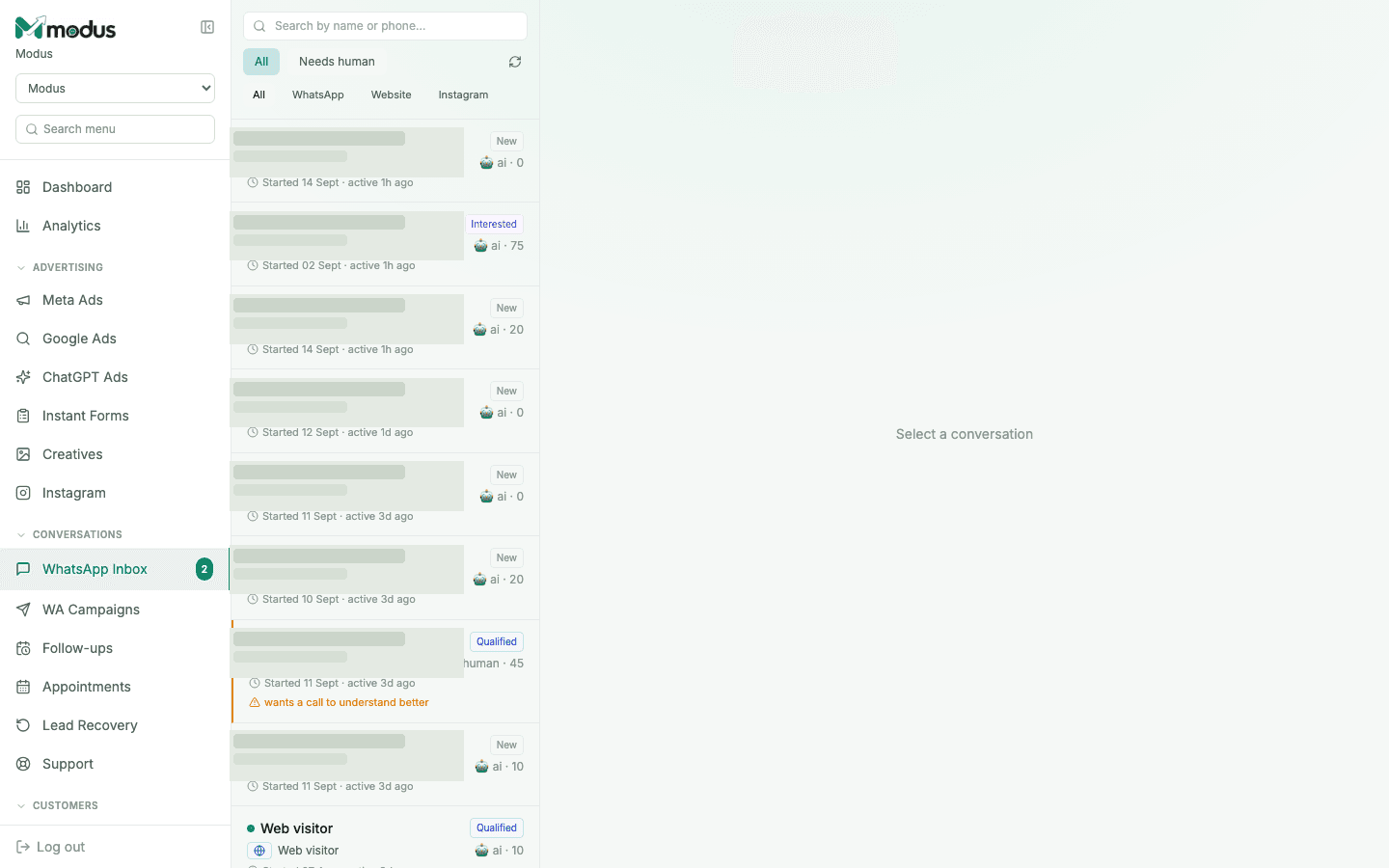
One conversation history across WhatsApp, web chat and Instagram
A dedicated queue for chats that genuinely need a person
Lead stage and score visible before anyone opens the thread
Built into the workflow
This is part of the same Modus workspace as your inbox, CRM, orders and analytics — not a disconnected add-on.
01
Filter by WhatsApp, website or Instagram, or see every conversation together without switching accounts and apps.
02
The agent handles new chats by default. A human reply pauses the AI, and control can be returned manually or after a quiet period.
03
Explicit requests for a call, negotiation and uncertain edge cases are flagged into one small queue your team can actually work.
04
Jump to a name or number and see the stage, score, channel, source and full message history on the same record.
How it works
Every connected channel creates or updates one contact record.
The agent replies, qualifies and records what it learns.
Only flagged or high-value conversations need manual attention.
Yes. Everyone with access to the business sees the same inbox and conversation history while customers continue messaging one business number.
No. Once a person takes over, the conversation stays in human mode until it is explicitly returned or your configured automatic-return rule applies.
No. Website visitors appear alongside WhatsApp and Instagram contacts, with a channel label and the same lead-scoring and handoff behaviour.
Yes. The Needs human filter isolates escalated chats, and the dashboard surfaces the current count before you open the inbox.
Works especially well with
AI & Conversations
AI WhatsApp sales agent
Train an AI WhatsApp sales agent on your business, qualify every enquiry, answer product questions and hand high-intent buyers to your team.
CRM & Retention
Visual CRM pipeline
Track every WhatsApp, web and Instagram lead on a visual CRM pipeline with automatic stages, lead scores, ownership and complete conversation context.
AI & Conversations
AI website chat widget
Add the same Modus AI agent to your website with one script tag, capture visitor details and manage every web conversation in the shared CRM inbox.
Connect your channels, train the agent and trace every conversation through to revenue.