01
Automatic lead capture
New WhatsApp, website and Instagram conversations create contacts with their channel and source already attached.

Features/CRM & Retention
Every new conversation becomes a CRM contact automatically. Modus scores buying intent, advances stages without regressing strong leads on one noisy message, and gives your team board and list views for daily pipeline work.
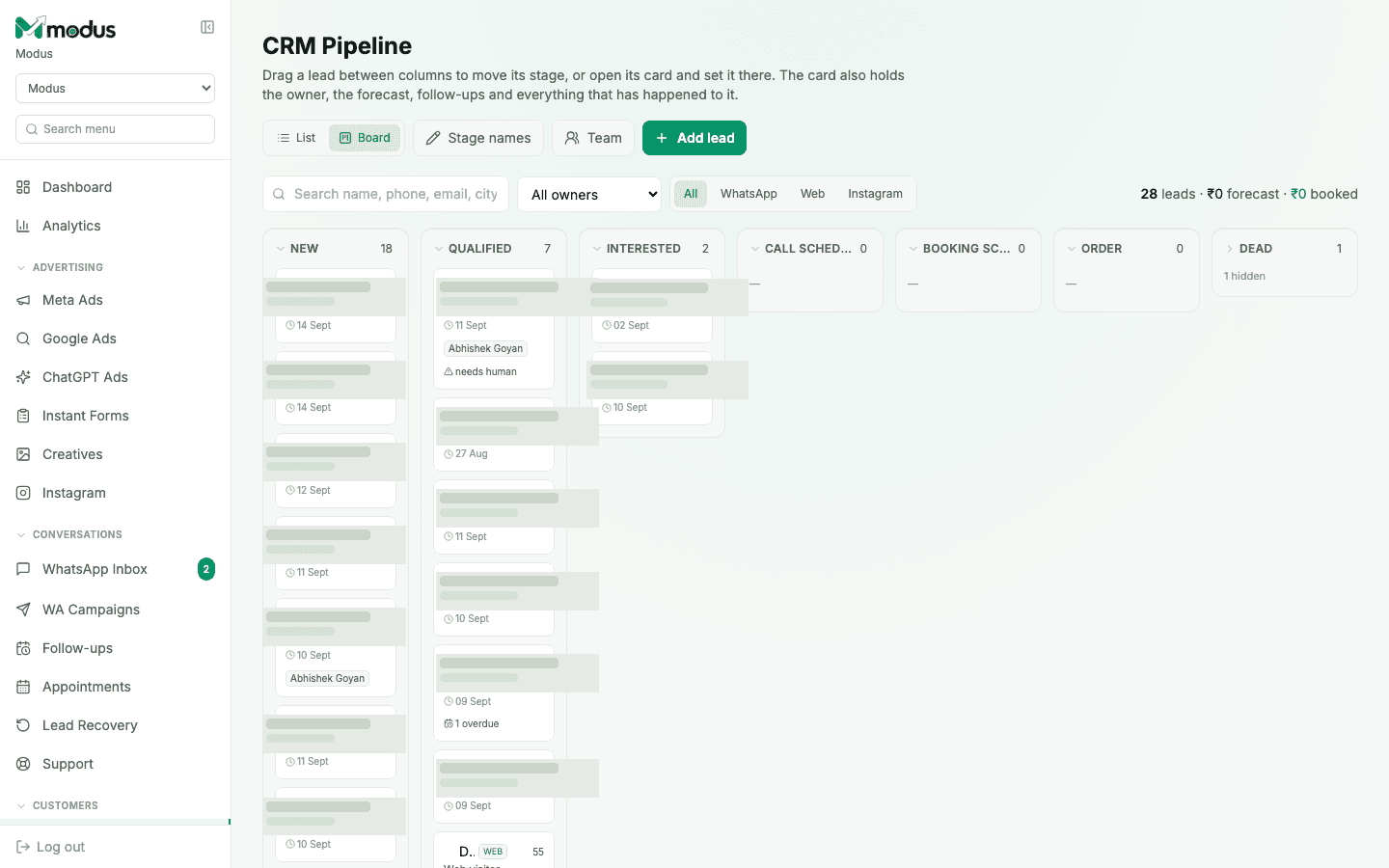
Every conversation becomes a tracked lead automatically
Hot leads rise to the top through intent scoring
One record holds source, owner, notes and full conversation history
Built into the workflow
This is part of the same Modus workspace as your inbox, CRM, orders and analytics — not a disconnected add-on.
01
New WhatsApp, website and Instagram conversations create contacts with their channel and source already attached.
02
Budget, intent, fit and timing from the conversation become a score your team can use to prioritise follow-up.
03
Scan the whole funnel as cards, or switch to a compact table for filtering, ownership and high-volume operations.
04
The agent can advance a lead as intent becomes clear, while your team can drag, assign and correct stages whenever human judgment wins.
How it works
An enquiry creates a contact with its original source.
The conversation produces answers, a score and a pipeline stage.
Your team focuses on the cards most likely to become customers.
No. Connected channels create contacts automatically. You can still add a lead by hand when it came from an offline or unconnected source.
Automatic classification never regresses an established stage because of one ambiguous message. Your team can still move a contact deliberately when needed.
Yes. Ownership and team access sit on the same contact record, so a pipeline handoff does not lose the conversation context.
Yes. Contacts can be filtered and exported for reporting or transfer into another system.
Works especially well with
AI & Conversations
Shared team inbox
Manage WhatsApp, website chat and Instagram conversations in one shared inbox with AI replies, lead scores and a focused human-handoff queue.
CRM & Retention
Automated follow-ups
Automatically re-engage WhatsApp leads who go quiet with approved multi-step sequences that stop the moment a customer replies.
Advertising & Attribution
Analytics dashboard
Track leads, orders, revenue, conversion, ad spend, cost per customer, ROAS, response time and recovered leads in one Modus dashboard.
Connect your channels, train the agent and trace every conversation through to revenue.