01
Commercial KPI scorecard
Read leads, distinct buyers, revenue, average order value and conversion for the same selected period.

Features/Advertising & Attribution
One analytics view connects operational speed with commercial results: new leads, orders, revenue, conversion, ad spend, CAC, ROAS, response time and recovered leads across a date range you control.
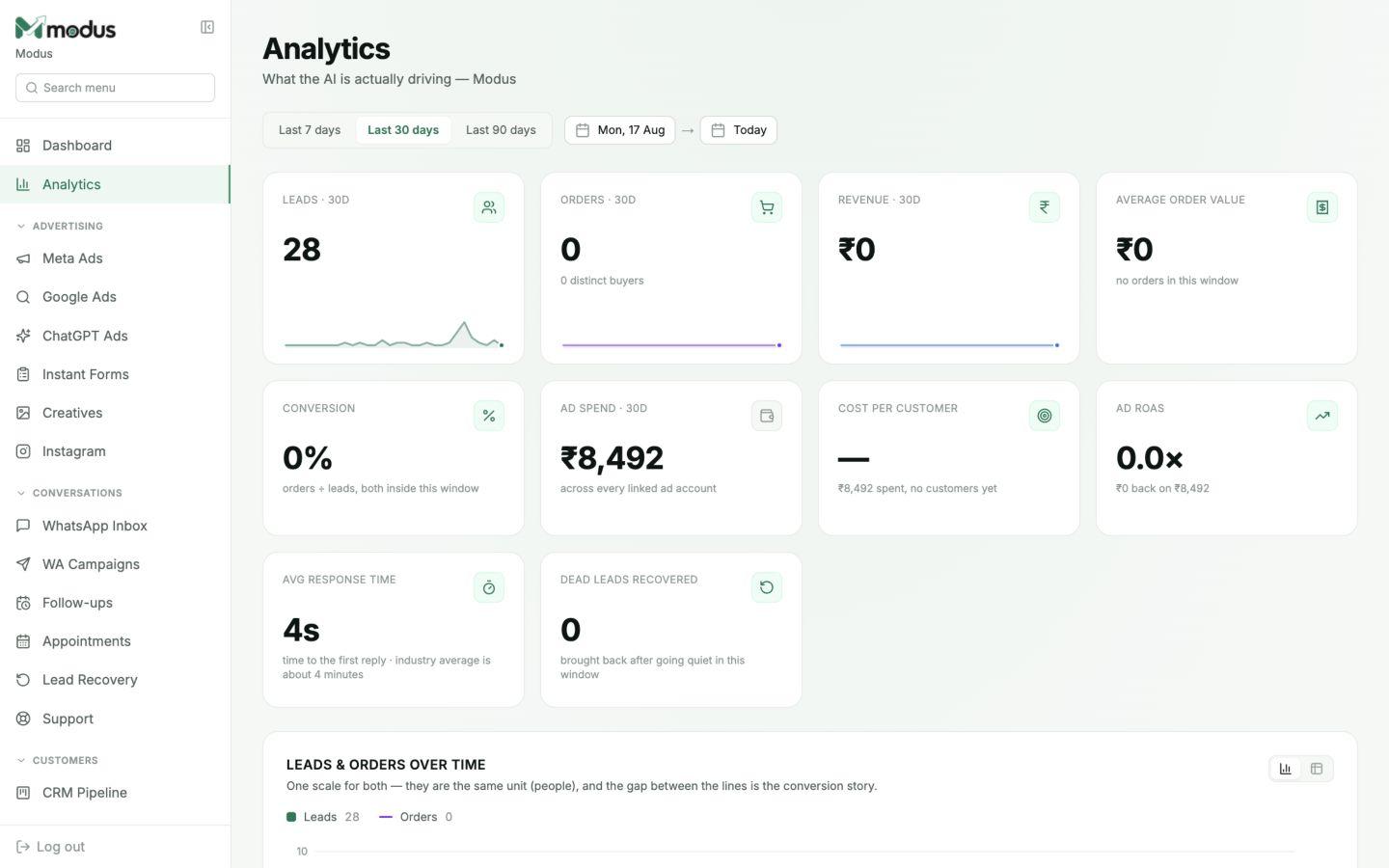
A single scorecard for acquisition, conversion and revenue
Ad spend viewed beside real customer outcomes
Response speed and lead recovery tracked with sales performance
Built into the workflow
This is part of the same Modus workspace as your inbox, CRM, orders and analytics — not a disconnected add-on.
01
Read leads, distinct buyers, revenue, average order value and conversion for the same selected period.
02
Compare total connected spend with cost per customer and revenue-based ROAS.
03
See leads and orders over time, the gap between them, and how sources and stages contribute to the result.
04
Track first-response time and the number of leads brought back after going quiet, not only final sales.
How it works
Use a quick 7, 30 or 90-day view or set exact dates.
Compare leads, conversion, orders and revenue on one timeline.
Use CAC, ROAS and response data to decide what to change next.
Revenue comes from orders recorded as paid and delivered according to the reporting definition used by the selected view.
It compares paying customers or orders with leads inside the same selected reporting window, and the interface states the denominator beside the number.
Yes. Use the 7, 30 and 90-day presets or choose exact start and end dates.
It includes spend from the ad accounts and channels currently linked to the business, with deeper channel views available on their own boards.
Works especially well with
Advertising & Attribution
Revenue attribution
Connect ad spend to WhatsApp conversations, qualified leads, paid customers and revenue with cost-per-customer and ROAS reporting.
Advertising & Attribution
Meta Ads manager
Create, review, publish, pause and measure Meta Ads campaigns from Modus while leads flow directly into the same WhatsApp CRM.
CRM & Retention
Visual CRM pipeline
Track every WhatsApp, web and Instagram lead on a visual CRM pipeline with automatic stages, lead scores, ownership and complete conversation context.
Connect your channels, train the agent and trace every conversation through to revenue.