
Guides/Analytics
How to Read Your Modus Dashboard & Analytics
The Founder Dashboard is what opens by default; Analytics is the same numbers with room to actually dig in — by source, by campaign, over time. Both read from the same place as everything else on the board: the actual conversations, leads and orders, not a separate reporting pipeline.
- 01
Start with the Dashboard
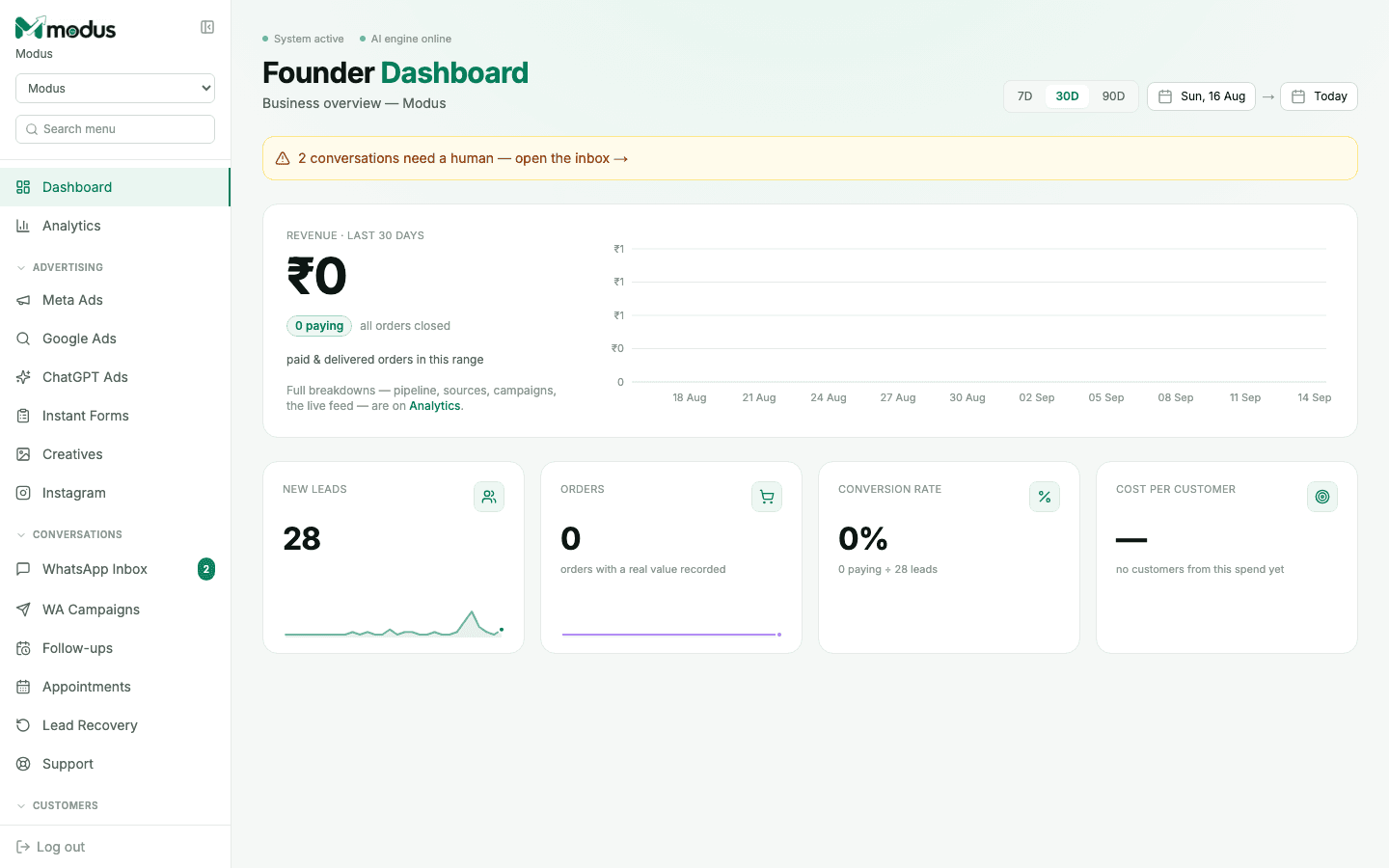
The tiles across the top — Revenue, New leads, Orders, Conversion rate, Cost per customer — are the whole business at a glance, for whichever date range you pick (7/30/90 days, or a custom range). A yellow banner up top surfaces anything urgent, like conversations waiting on a human.
- 02
Switch to Analytics for the breakdown
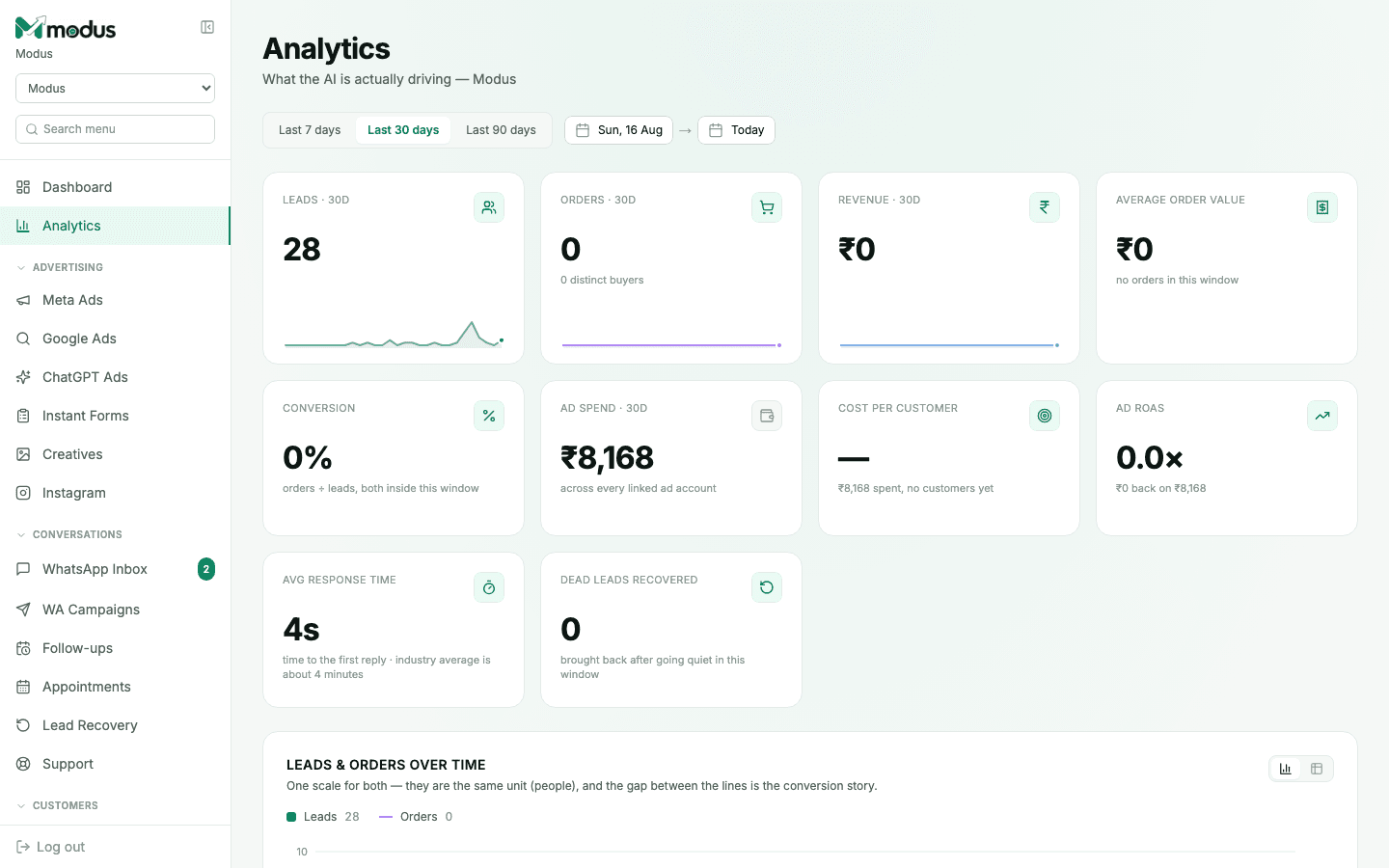
Analytics adds Average sale value, Ad spend, Ad ROAS, Average response time, and Dead leads recovered — plus a chart plotting leads and orders on one scale, so the conversion gap between them is visible at a glance, not just implied by two separate numbers.
- 03
Read cost per customer, not cost per click
Cost per customer is ad spend divided by customers who actually paid — not a lead, not a click, not a conversation started. Until an order is marked paid, it shows as — rather than a misleading number, which is deliberate: a guess dressed up as a metric is worse than an honest gap.
- 04
Watch average response time
This is time to first reply, compared against an industry benchmark. Since the AI answers most conversations immediately, a slow number here usually means a conversation is stuck waiting on a human in the "Needs human" queue.
Good to know
A "0%" conversion rate isn't broken — it means no order has been marked paid yet inside the selected date range. Check Orders and the CRM pipeline for deals still in progress.
Ad spend on this page is pulled from every linked ad account across Meta, Google and ChatGPT Ads — see the ROAS number on each platform's own board for the per-platform breakdown.
Questions we get asked
Why is my cost per customer showing "—" even though I've spent on ads?
It shows a dash until at least one order from that spend has been marked paid — a guess based on leads or conversations alone would be misleading, so Modus waits for a real number.
Does Analytics include website chat and Instagram, or just WhatsApp?
All three — every channel feeds the same leads, orders and revenue numbers, since they all run through the same pipeline.
Can I export this data?
The underlying records — leads in the CRM, deals in Orders — each have their own CSV export; the dashboard and Analytics pages themselves are for reading, not exporting.
See this running on your own numbers.
Every guide on this site is the real product — set up your own agent, ad account and WhatsApp number, and every deal it closes traces back to what produced it.