
Guides/Advertising
How to Create a Meta Ads Campaign in Modus
Modus publishes real Meta ad campaigns straight from your dashboard — no separate Ads Manager tab, no copy-pasting budgets between tools. Every campaign is created paused, so nothing spends until you say go, and every lead it produces flows into the same inbox and pipeline as everything else. Here's the whole flow, from a blank campaign to reading what it actually cost you per paying customer.
Before you start
- A Meta system-user token pasted into Settings → Meta Ads (see the setup guide below) — this is what lets Modus read and publish to your ad account.
- At least one ad account and Page linked to that token.
- 01
Open Meta Ads and start a campaign
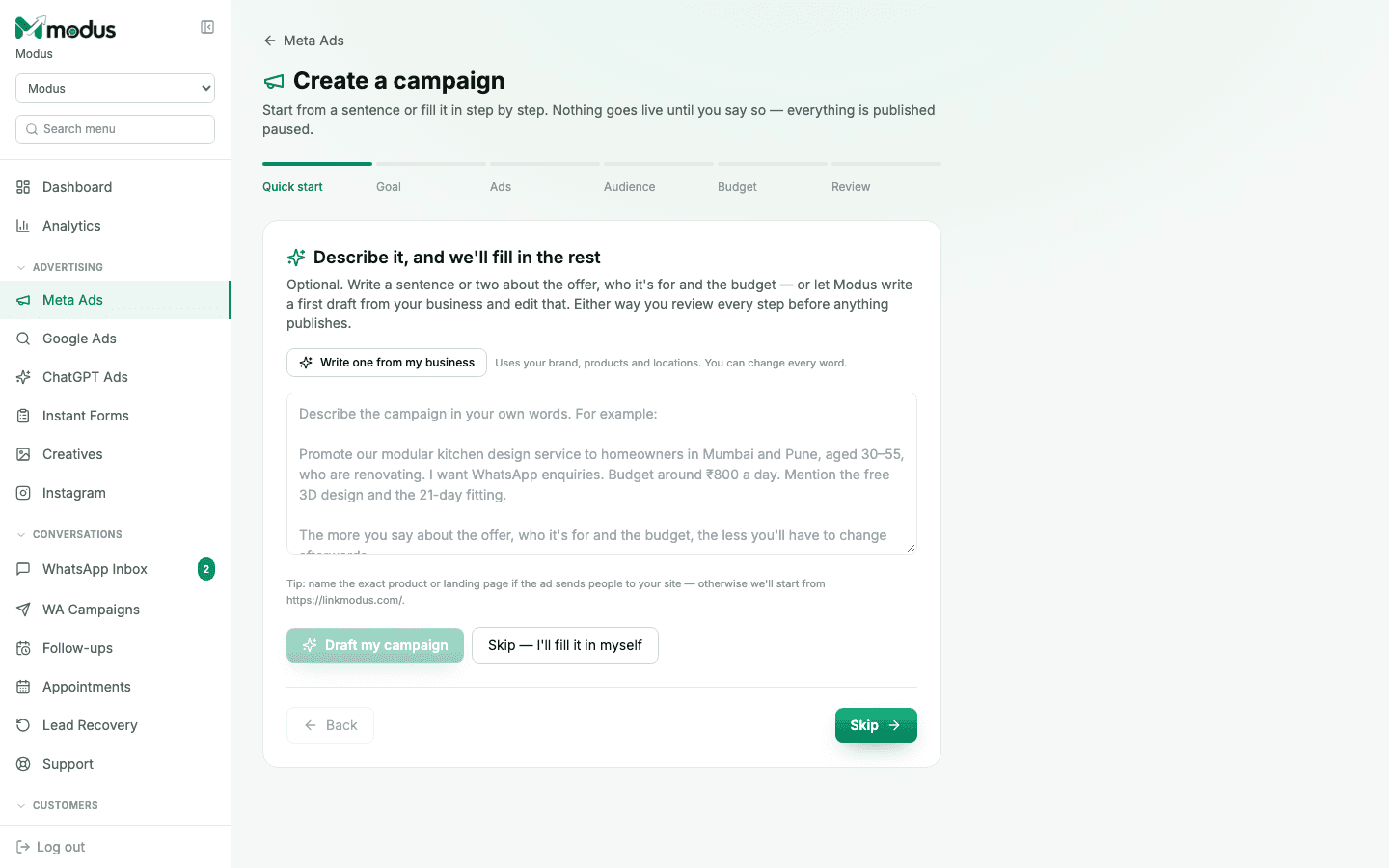
From the board sidebar, go to Meta Ads under Advertising, then click Create campaign. This drops you into a six-step wizard: Quick start → Goal → Ads → Audience → Budget → Review. Nothing here talks to Meta until the last step.
- 02
Describe it in a sentence, or skip straight to filling it in
The Quick start step is optional. Type a sentence or two — the offer, who it's for, the budget — and click Draft my campaign to have Modus write a first pass using your business profile and knowledge base. Or click Skip — I'll fill it in myself and build every step by hand. Either way, you review and edit everything before it publishes.
- 03
Set the goal, the ad creative, and the audience
Pick what you're optimising for (WhatsApp conversations is the usual choice for a Modus-connected number), choose or generate the ad creative, then set who sees it — location, age, and any interest targeting Meta supports.
- 04
Set a daily budget and review
Enter a daily budget and confirm the schedule, then land on the Review step, which shows exactly what will be created on Meta's side. Nothing goes live here either — every campaign, ad set and ad Modus publishes is created paused.
- 05
Go live from the campaign list
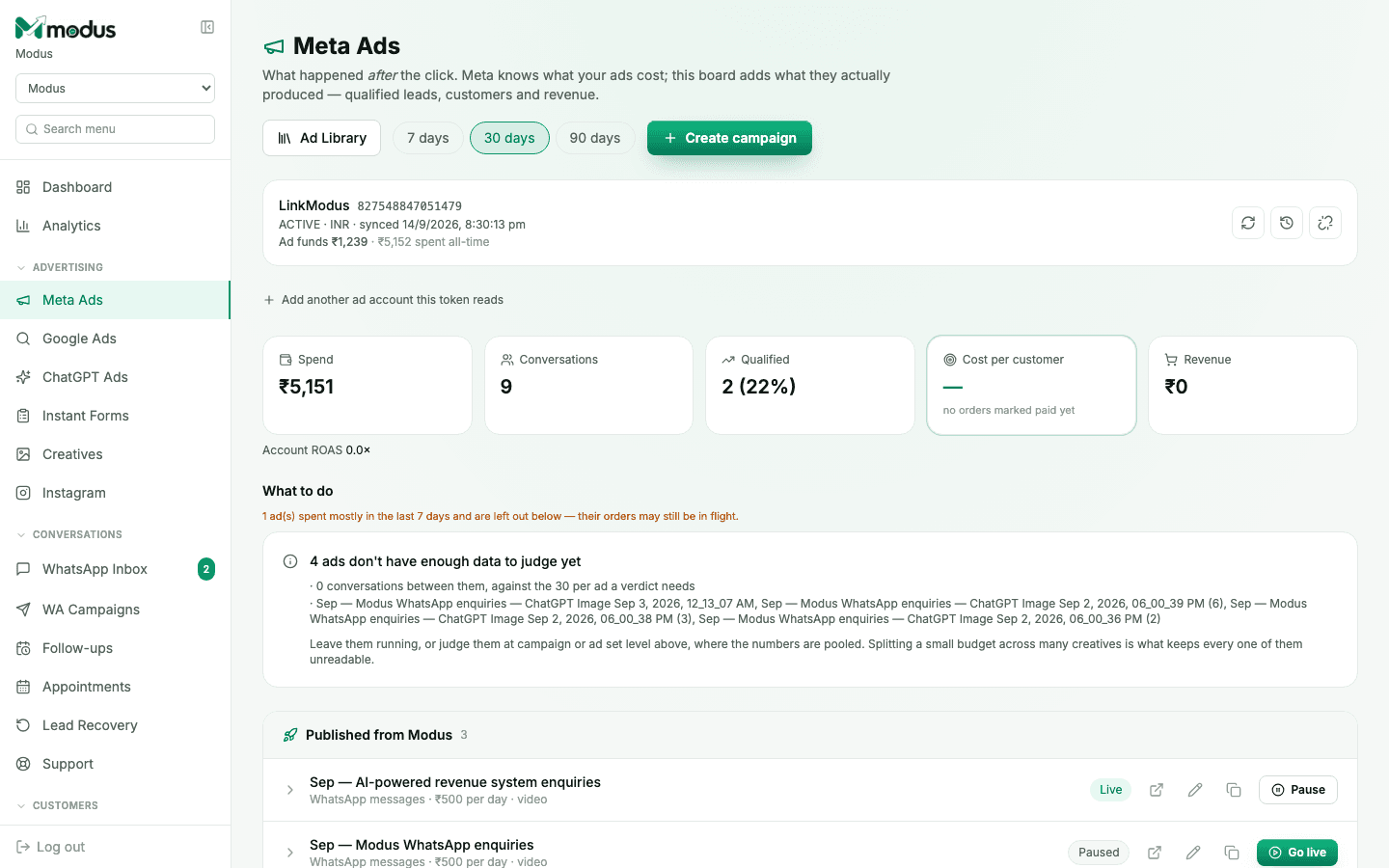
Back on the Meta Ads board, find the new campaign under Published from Modus and click Go live when you're ready. You can pause it again the same way, any time — turning delivery down is never gated, even if your plan lapses.
- 06
Read the results as customers, not just clicks
The board above your campaign list is the part Ads Manager can't give you: Spend, Conversations, Qualified %, Cost per customer, and Revenue — computed from the actual orders those conversations produced, not from a pixel guess. That's the whole point of running ads through Modus instead of alongside it: the ad spend, the WhatsApp conversation, the lead score and the closed order are one traced record.
Good to know
A campaign that hasn't spent much yet shows up under "not enough data to judge" rather than a false verdict — Modus needs a real sample of conversations per ad before it will call an ad a winner or a loser.
If a campaign sends people to your website instead of WhatsApp, name the exact product or landing page in the Quick start description — otherwise the draft starts from your homepage.
Questions we get asked
Does this replace Meta Ads Manager?
For day-to-day publishing and reading results, yes — that's the point. Ads Manager still owns billing, Business Portfolio settings and anything Modus doesn't expose (like most advanced placements). Every campaign Modus creates is also visible in Ads Manager, since it's the same account.
Why does everything publish paused?
So you can preview the real, rendered ad — including any Advantage+ creative enhancements — before a single rupee is spent. Nothing goes to ACTIVE except through an explicit "Go live" on a specific campaign or ad set.
What if my token only has ads_read, not ads_management?
You keep the full reporting board — spend, conversations, cost per customer — but publishing is disabled with a message telling you to add the ads_management permission when you're ready to launch from Modus.
How is "cost per customer" different from what Meta reports?
Meta reports cost per click or per result it can see (a form fill, a message started). Modus's number is spend divided by orders that were actually marked paid — it follows the conversation all the way through your pipeline, not just to the first reply.
See this running on your own numbers.
Every guide on this site is the real product — set up your own agent, ad account and WhatsApp number, and every deal it closes traces back to what produced it.