01
Script-tag installation
Paste one loader before the closing body tag. The isolated iframe keeps Modus styles from changing your site and vice versa.

Features/AI & Conversations
Install a branded chat bubble with one script tag or share the hosted chat link directly. Website visitors get the same knowledge-backed AI, qualification and human handoff as WhatsApp, and every lead lands in the same pipeline.
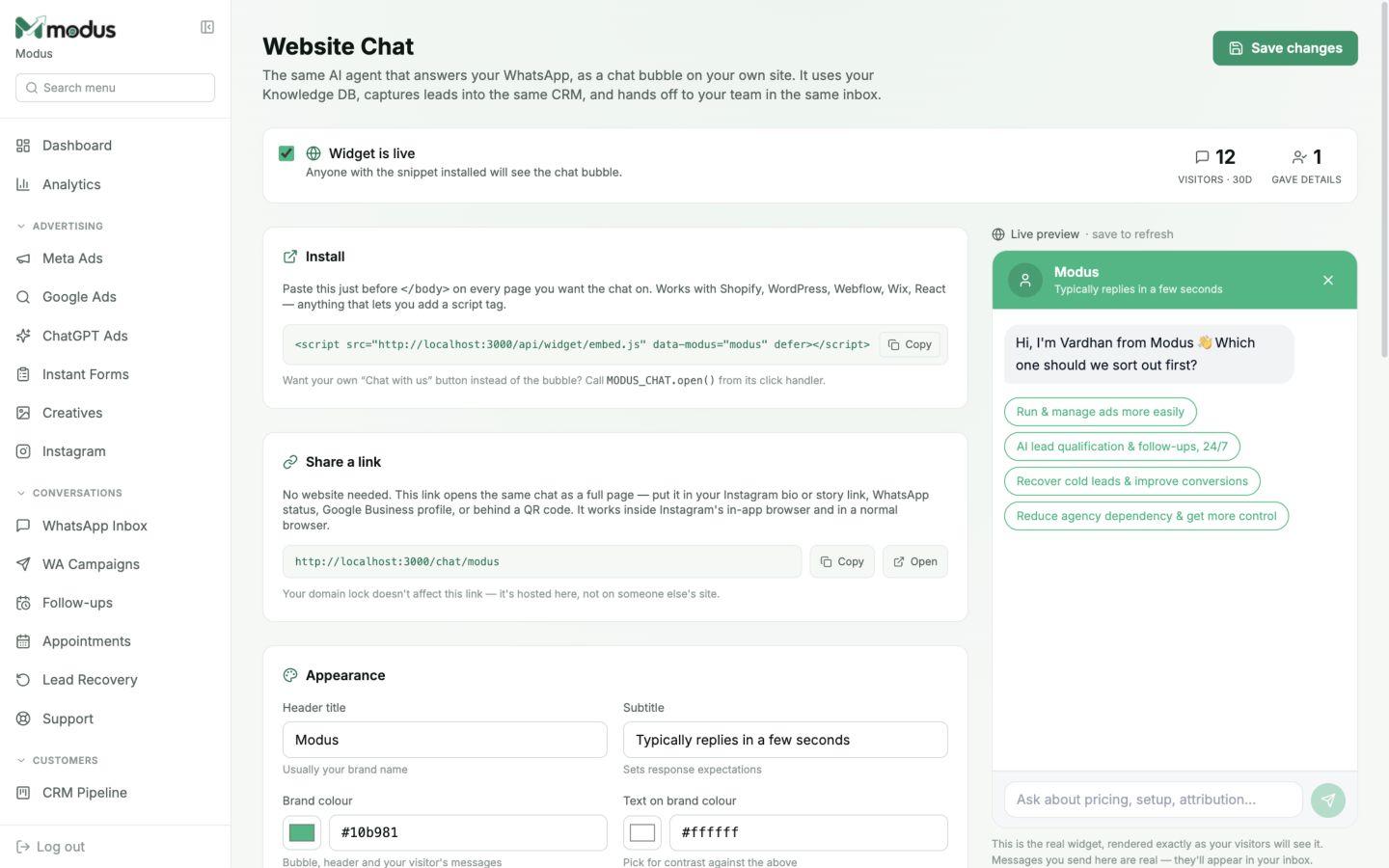
One-line install for Shopify, WordPress, Webflow, Wix or custom sites
The same AI behaviour and Knowledge DB as WhatsApp
Visitor details captured into the shared CRM and inbox
Built into the workflow
This is part of the same Modus workspace as your inbox, CRM, orders and analytics — not a disconnected add-on.
01
Paste one loader before the closing body tag. The isolated iframe keeps Modus styles from changing your site and vice versa.
02
Use a full-page chat URL in an Instagram bio, WhatsApp status, Google Business profile or QR code even when you do not control a website.
03
Choose colours, light or dark panel, position, greeting, quick-start buttons, placeholder and the details to collect.
04
Allowed domains and signed visitor tokens protect the widget endpoints while anonymous visitors can still start a conversation.
How it works
Set the brand colours, greeting and lead-capture fields.
Paste the script or publish the hosted chat link.
Web leads join the same AI, handoff queue and pipeline as WhatsApp.
Usually no. Any platform that lets you paste a script tag can install it. A developer may only be needed if your site builder hides global code settings.
No. The chat UI runs inside an iframe for style isolation, while the small loader only adds the launcher and frame container.
Yes. Every business also gets a hosted full-page chat link suitable for bios, QR codes and direct sharing.
They appear in the same inbox and CRM as WhatsApp and Instagram leads, labelled as website chat contacts.
Works especially well with
AI & Conversations
AI WhatsApp sales agent
Train an AI WhatsApp sales agent on your business, qualify every enquiry, answer product questions and hand high-intent buyers to your team.
AI & Conversations
Shared team inbox
Manage WhatsApp, website chat and Instagram conversations in one shared inbox with AI replies, lead scores and a focused human-handoff queue.
CRM & Retention
Visual CRM pipeline
Track every WhatsApp, web and Instagram lead on a visual CRM pipeline with automatic stages, lead scores, ownership and complete conversation context.
Connect your channels, train the agent and trace every conversation through to revenue.