
Guides/Advertising
How to Manage Ad Creatives in Modus
Creatives is where your ad images and videos live before they go into a campaign. Upload once here, and it's available across every campaign you build afterward — nothing needs re-uploading. It's a separate store from the Media Library (which feeds conversations, not ads) — see that guide if you're after photos or PDFs the AI can hand a customer mid-chat.
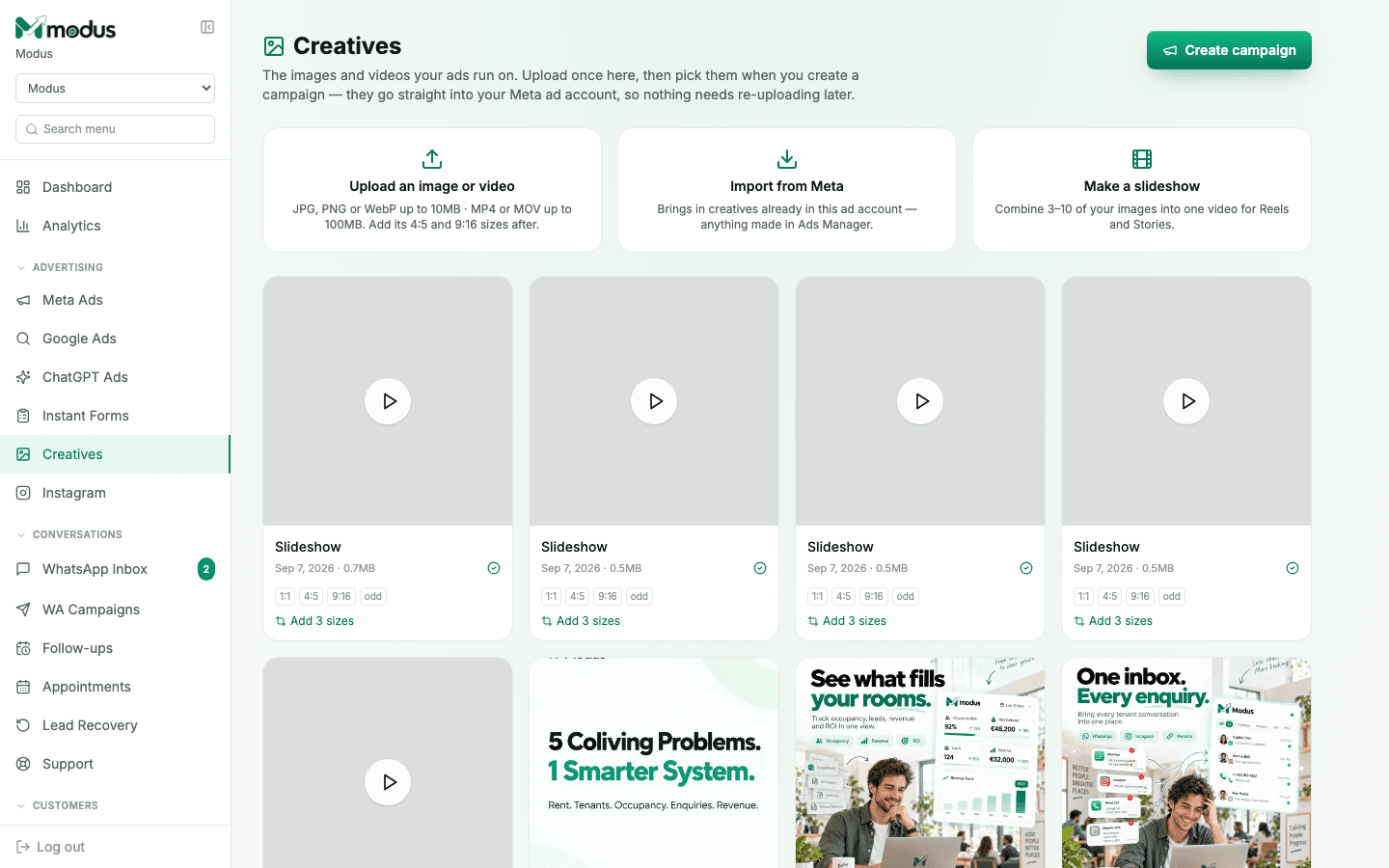
- 01
Upload or import an ad creative
Open Creatives and either Upload an image or video (JPG/PNG/WebP up to 10MB, MP4/MOV up to 100MB) or Import from Meta to bring in anything already sitting in your ad account from Ads Manager.
- 02
Turn a batch of images into a slideshow
Click Make a slideshow and combine 3–10 of your images into one video, sized for Reels and Stories — useful when you have product photos but no video creative yet.
- 03
Add the sizes Meta actually needs
Each creative shows which aspect ratios it already covers (1:1, 4:5, 9:16) — click Add 3 sizes to generate the rest from the original, so one upload covers every placement instead of needing a separate file per format.
- 04
Pick it when you create a campaign
Every creative uploaded here goes straight into your linked Meta ad account, so it's available the moment you're building a campaign — nothing needs re-uploading at that point.
Good to know
An image hash in Creatives is scoped to one ad account — a creative uploaded for one Meta ad account can't be referenced by an ad on a different one, and Meta's own error for that doesn't mention accounts at all.
Import from Meta is a one-way pull — it brings creatives already in Ads Manager into Modus's library view; it doesn't push anything the other way.
Questions we get asked
What's the difference between Creatives and the Media Library?
Creatives feeds ad campaigns — Meta needs the file in your ad account before an ad can run on it. The Media Library feeds conversations — files the AI or your team can hand a customer mid-chat. They're separate stores; see the Media Library guide for that side.
What happens to a creative I imported from Meta if I delete it in Modus?
It's removed from Modus's library view only — Meta keeps its own copy in Ads Manager regardless, since Modus never owned the original bytes for an imported creative.
Do I need a video, or can a slideshow substitute for one?
A slideshow works for Reels and Stories placements the same way a native video would — useful if you have strong product photography but haven't shot video yet.
See this running on your own numbers.
Every guide on this site is the real product — set up your own agent, ad account and WhatsApp number, and every deal it closes traces back to what produced it.