
Guides/Setup
How to Set Up Your AI Sales Assistant in Modus
Your AI business agents answer every channel — WhatsApp, your website chat, Instagram DM — as one assistant your customers talk to. This is where you tell it how to sound, what it's trying to close, and what it's allowed to say — and where you feed it the facts it answers from.
- 01
Generate a first draft from your business
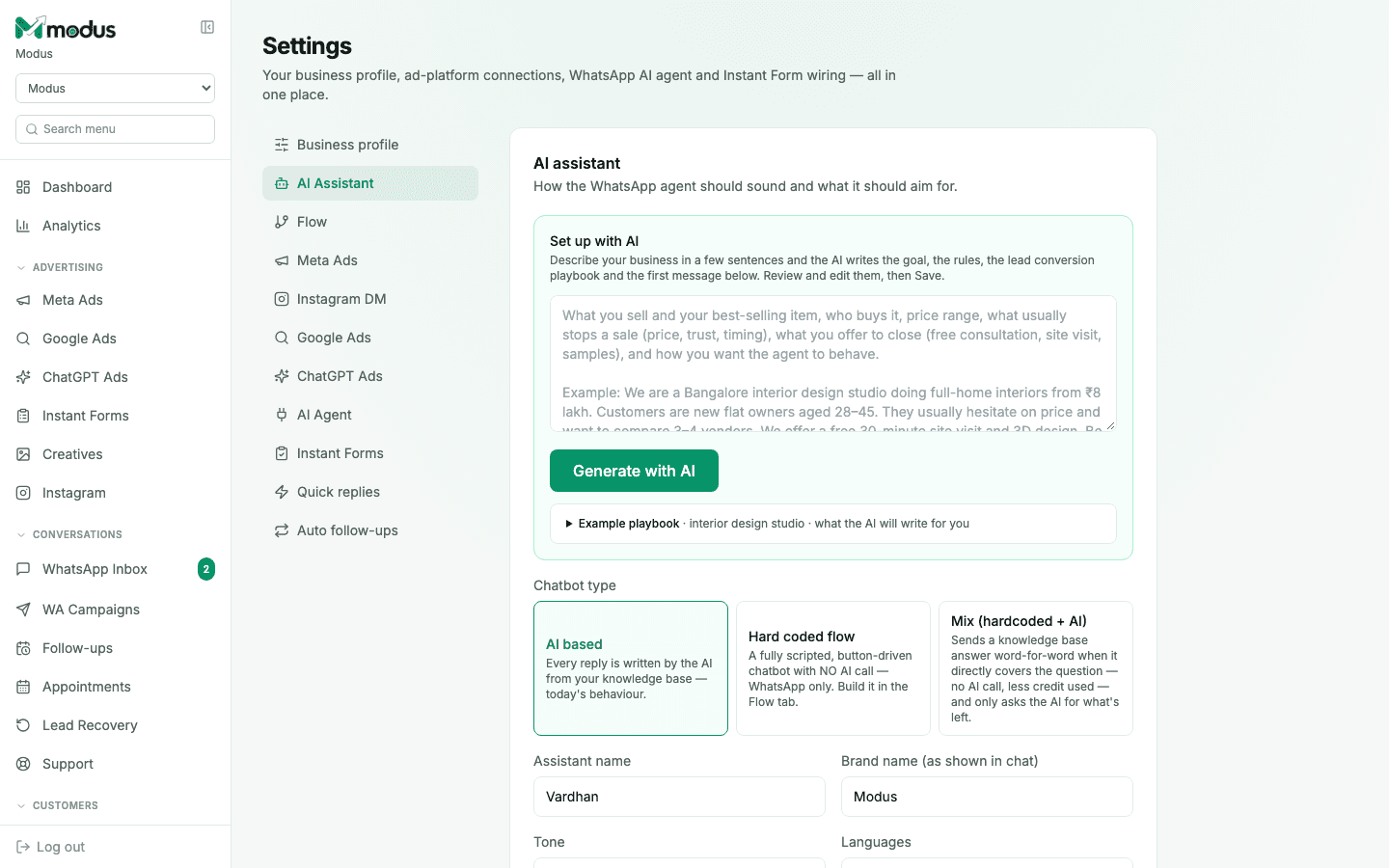
In Settings → AI Business Agents, describe your business in a few sentences under "Set up with AI" — what you sell, who buys it, your price range, what usually stops a sale, and how you want the agent to behave. Click Generate with AI and it writes the goal, the rules, and the lead-conversion playbook for you to review and edit.
- 02
Choose a chatbot type
AI based (the default) writes every reply from the knowledge base. Hard coded flow is a fully scripted, button-driven chatbot with no AI call at all — built in the Flow tab. Mix sends a knowledge-base answer verbatim when it directly covers the question, and only calls the AI for what's left — the cheapest option on AI credits.
- 03
Add an agent for each kind of conversation
Every account has one main agent. On plans that include more, click Add agent to create another — for example one for support and one for taking orders — and give each its own goal, instructions and playbook. In "When this agent handles the chat", describe the conversations it should take. Your customers still see one assistant with one name: the right agent is chosen for each message behind the scenes, and the inbox shows your team which one is handling a chat.
- 04
Set the name, brand and tone
Give the assistant a name (shown as who the customer is chatting with), the brand name it introduces itself as, a tone, and which languages it should reply in.
- 05
Set the reply length
Pick short, balanced, or detailed under persona settings — this is a hard limit stated in words and lines, not a vague "be concise" instruction, so replies are actually consistent in length.
- 06
Feed it facts through the Knowledge DB
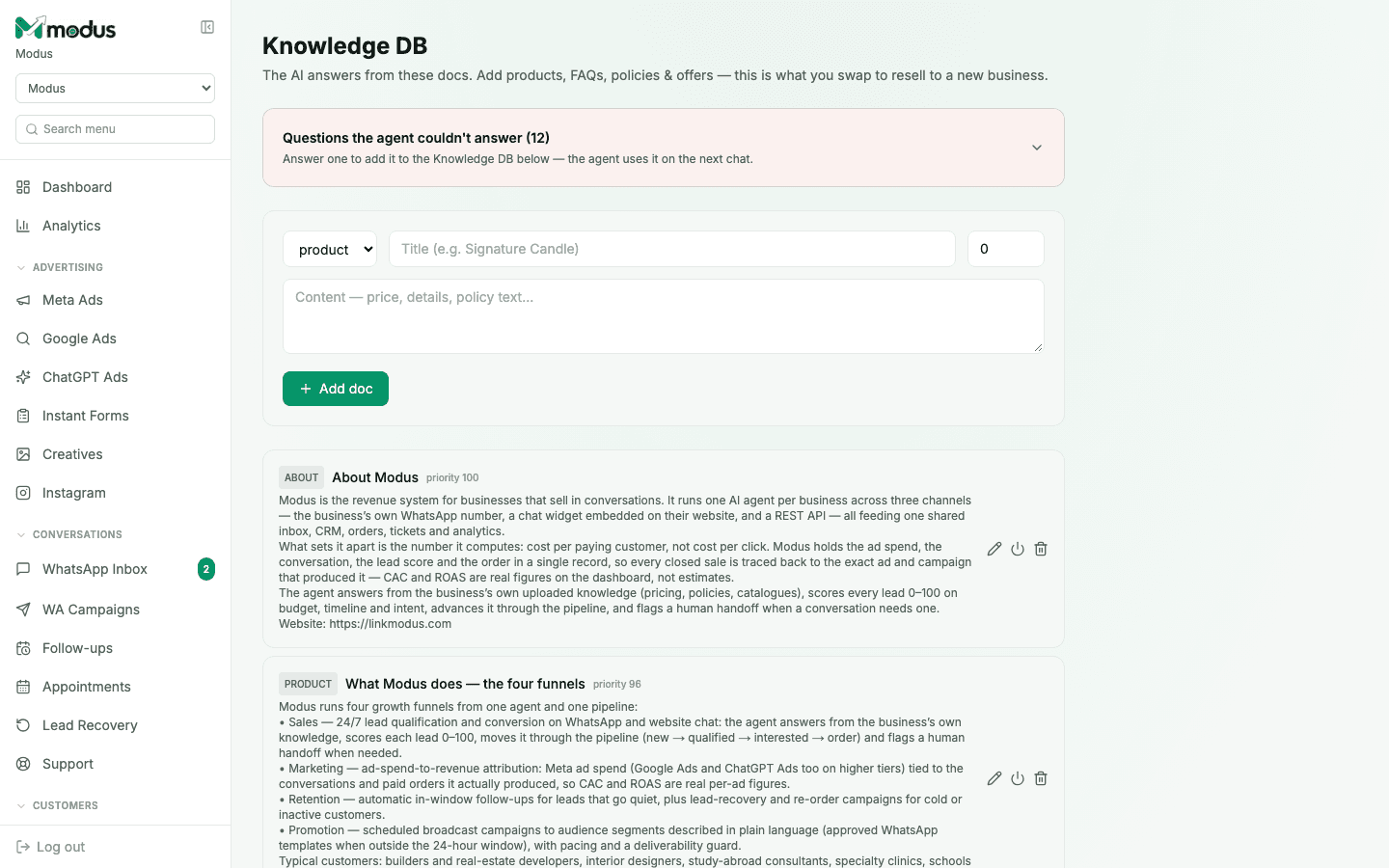
Product facts, prices and policies belong in Knowledge DB, not the playbook — add a doc with a title and content, and the agent retrieves and answers from it. Anything the agent couldn't answer shows up at the top of this page as a flagged question; answer one and it becomes a new Knowledge DB doc immediately.
Good to know
Keep pricing and policy details out of the playbook and in Knowledge DB instead — the playbook decides what the agent is trying to do, the Knowledge DB is what it knows.
A flagged "couldn't answer" question is different from the agent correctly refusing something out of scope — only genuine knowledge gaps show up here, so the queue stays worth reviewing.
Questions we get asked
Will switching chatbot type lose my existing setup?
No — your knowledge base, playbook and Flow (if built) all persist. Switching type just changes which one answers the next message.
Can I test changes before customers see them?
Yes, there's a built-in test panel on this page to try messages against your live configuration before it goes out to real conversations.
Does Mix mode ever go silent on a customer?
No — you choose a fallback: either it falls through to the full AI pipeline, or it sends one fixed fallback message. Either way the customer always gets a reply.
See this running on your own numbers.
Every guide on this site is the real product — set up your own agent, ad account and WhatsApp number, and every deal it closes traces back to what produced it.