
Guides/Setup
How to Write Auto Follow-Up Instructions in Modus
This is the playbook behind the Auto-nudge cold leads toggle on the Lead Recovery page — the actual instructions the AI follows for each free follow-up touch, written by you, in your own words.
Before you start
- The
lead-recoveryplan feature — this settings tab reads and writes the same store as the Lead Recovery page's auto-nudge panel.
- 01
Understand the timing before you write anything
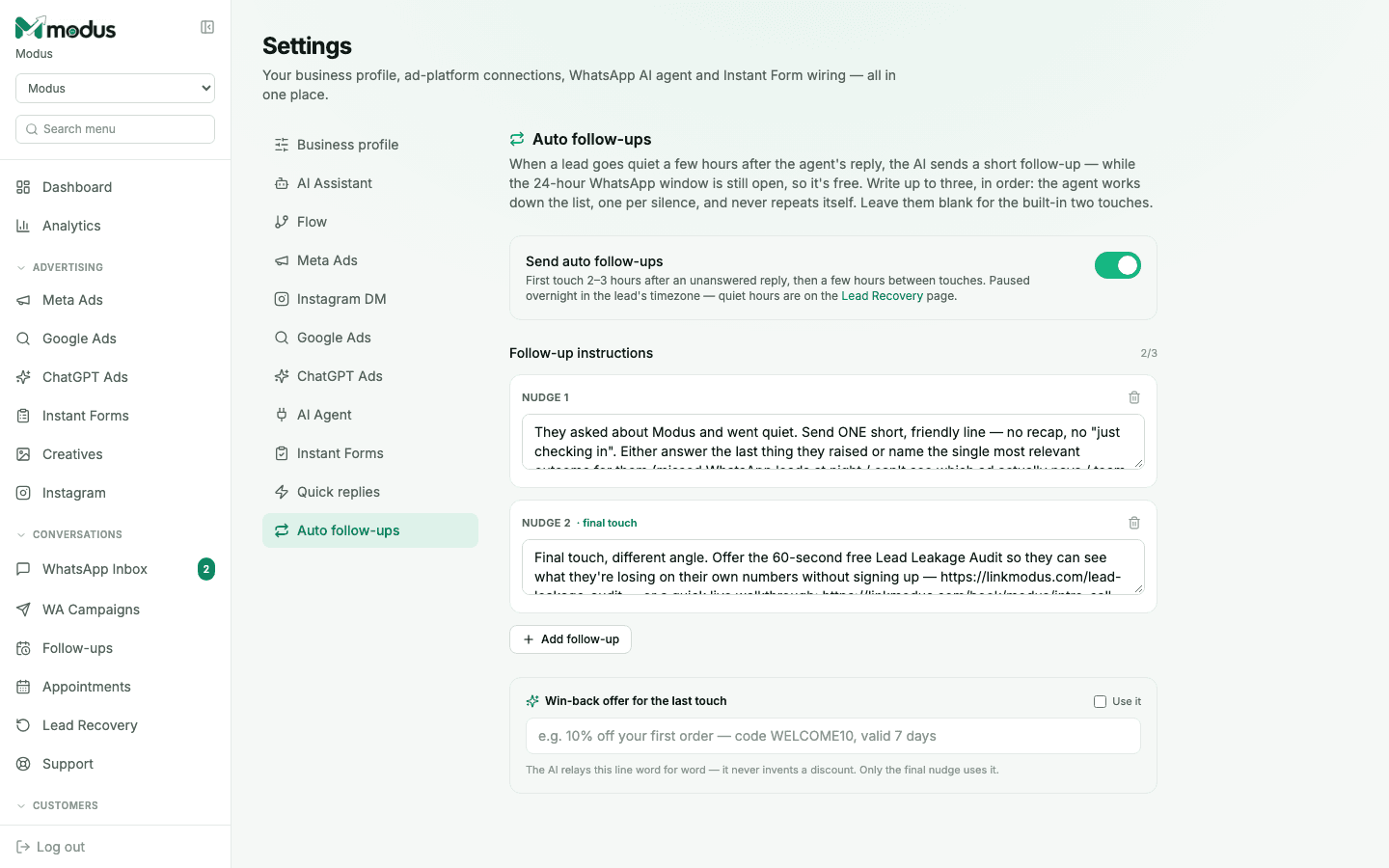
When a lead goes quiet a few hours after the agent's reply — while the 24-hour WhatsApp window is still open, so every touch here is free — the agent sends the next follow-up, working down your list one per silence. It never repeats a touch, and it pauses overnight in the lead's own timezone.
- 02
Turn on Send auto follow-ups
The toggle is the master switch. Leave the instruction list empty and it still works — you get the built-in default (a light helper touch, then a final different-angle touch) without writing anything.
- 03
Write up to three follow-up instructions, in order
Each box is an instruction to the AI for that specific touch, not the message itself — e.g. "Answer their last question and offer a quick call or a photo of the item they asked about." The agent writes the actual wording live, grounded in that instruction and the real conversation.
- 04
Mark your last touch as the final one
The last instruction in your list is labelled final touch — this is the one place a win-back offer is allowed to appear, and the one after which the agent gives up and hands the lead to the recovery segments on the Lead Recovery page instead.
- 05
Add a win-back offer for the final touch only
Tick Use it and write one line — a discount code, a limited-time push. The AI relays this line word for word on the final touch; it never invents a discount or applies it earlier than instructed.
Good to know
Keep each instruction to one job — "address the most likely objection" reads better to the model than a paragraph of backup instructions for every possible scenario.
These instructions only govern free, in-window touches. Once the 24-hour window actually closes on a lead, only Lead Recovery's segment campaigns (approved WhatsApp templates) can reach them.
Questions we get asked
What happens if I leave all three instruction boxes empty?
Nothing breaks — the agent falls back to its built-in default behaviour: a light "just checking in" style helper touch, then one final different-angle touch.
Can I have more than three follow-up touches?
No — three is the maximum by design. More than that risks reading as spam to someone who already went quiet once.
Does this cost AI credits?
Yes, the same as any AI-written reply — but never WhatsApp fees, since every touch here fires inside the free 24-hour window.
See this running on your own numbers.
Every guide on this site is the real product — set up your own agent, ad account and WhatsApp number, and every deal it closes traces back to what produced it.