
Guides/Billing
How Billing, Plans & Credits Work in Modus
Billing in Modus is three separate pages that each answer a different question: Plan (what features you have), Credits (what the AI has actually cost so far), and Billing & Invoices (what you've paid, with an invoice for each).
- 01
Check what your plan includes
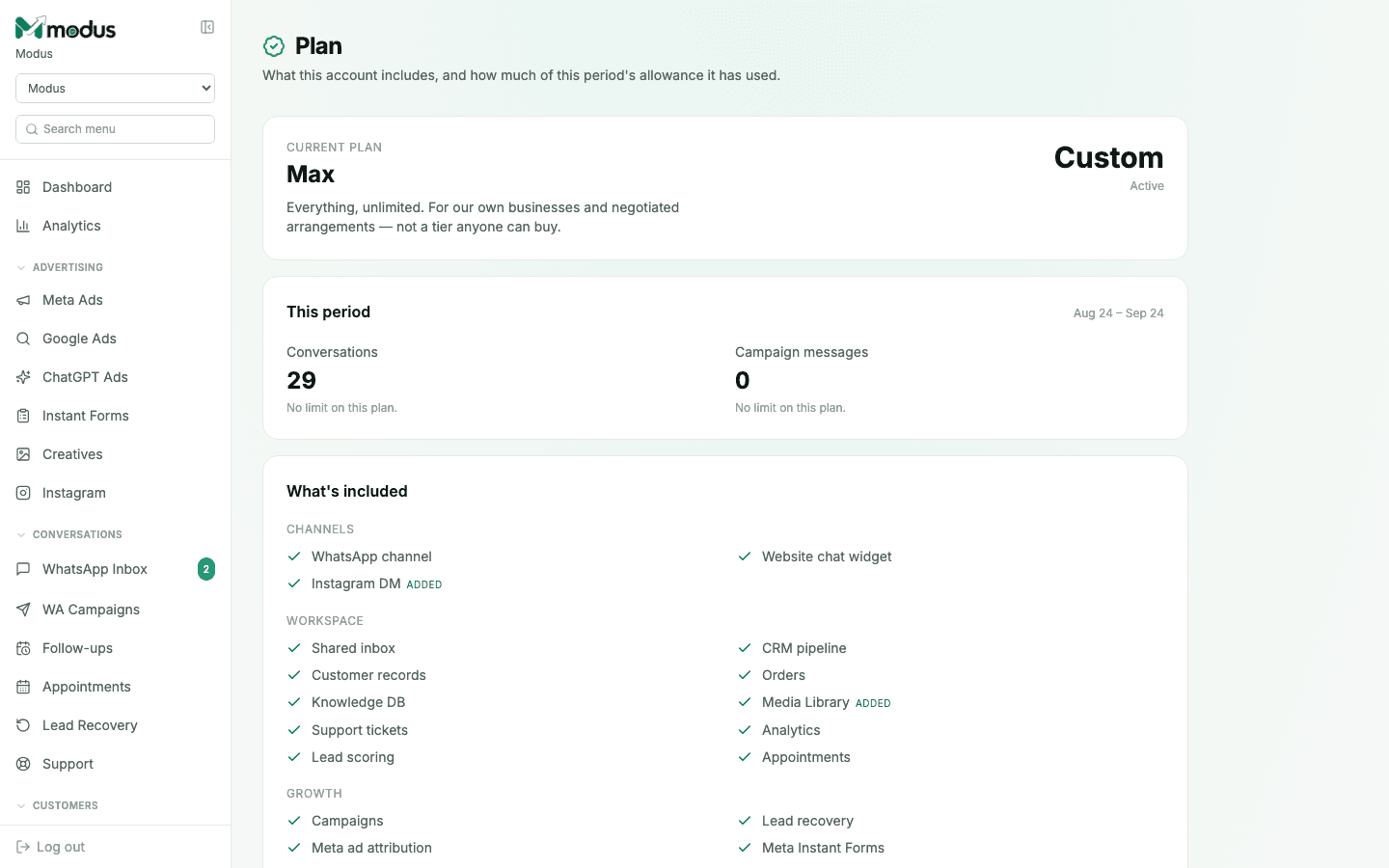
Open Plan to see your current tier and everything it unlocks — channels (WhatsApp, Instagram DM, website chat), workspace features (CRM, orders, support tickets, analytics), and growth features (campaigns, Meta ad attribution, Instant Forms). New accounts start on a 7-day trial with everything switched on.
- 02
Watch your credit balance
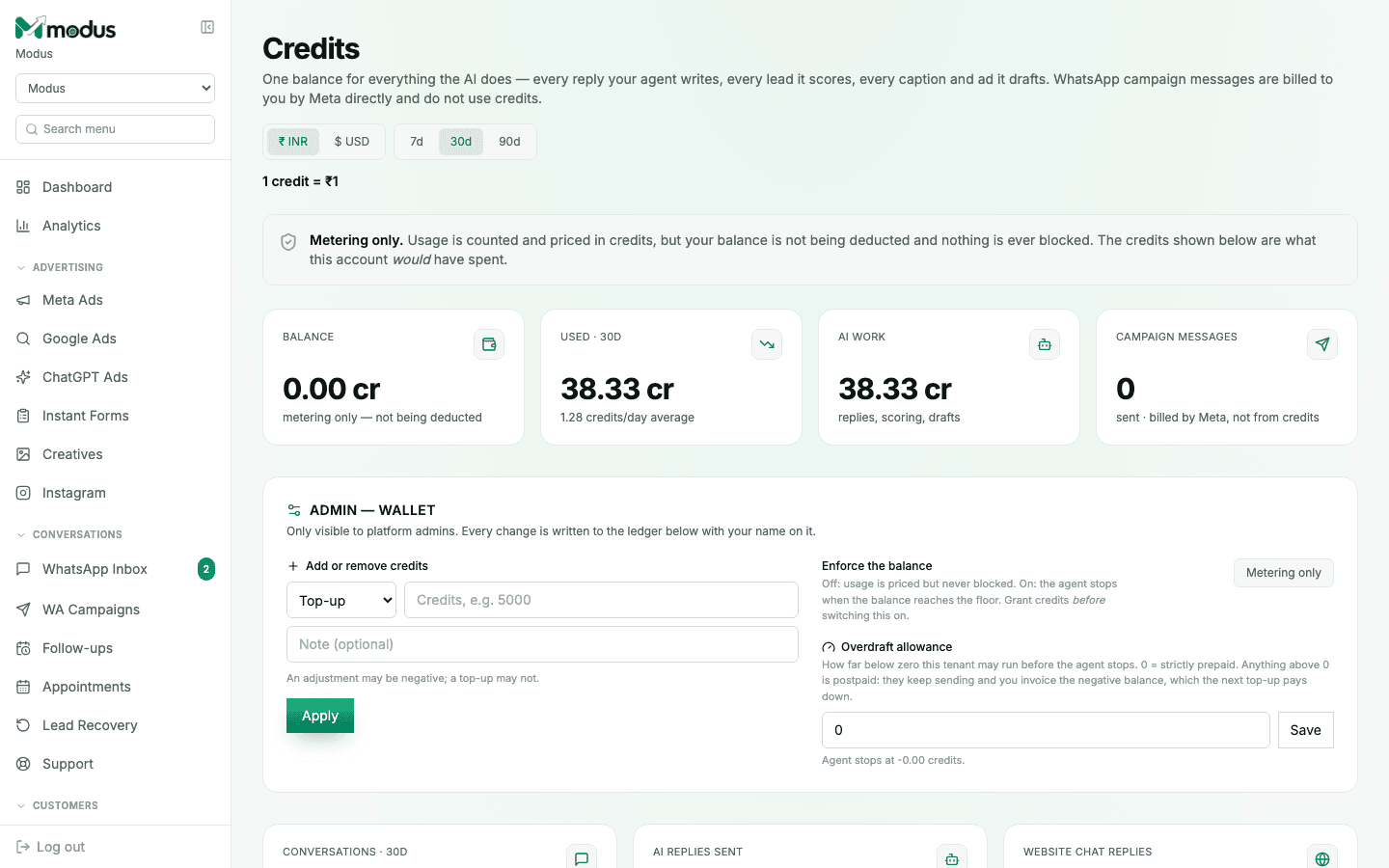
Open Credits — one balance covers everything the AI does: every reply, every lead score, every caption, every ad draft. WhatsApp template messages are billed separately by Meta on your own WABA and never touch credits, so you're never charged twice for the same send.
- 03
Understand "metering only"
A banner reading Metering only means usage is counted and priced, but nothing is actually being deducted or blocked — this is the default for a new account. An admin has to explicitly enable enforcement (and grant credits first) before a low balance can ever stop the agent from replying.
- 04
Add your GST details before you pay
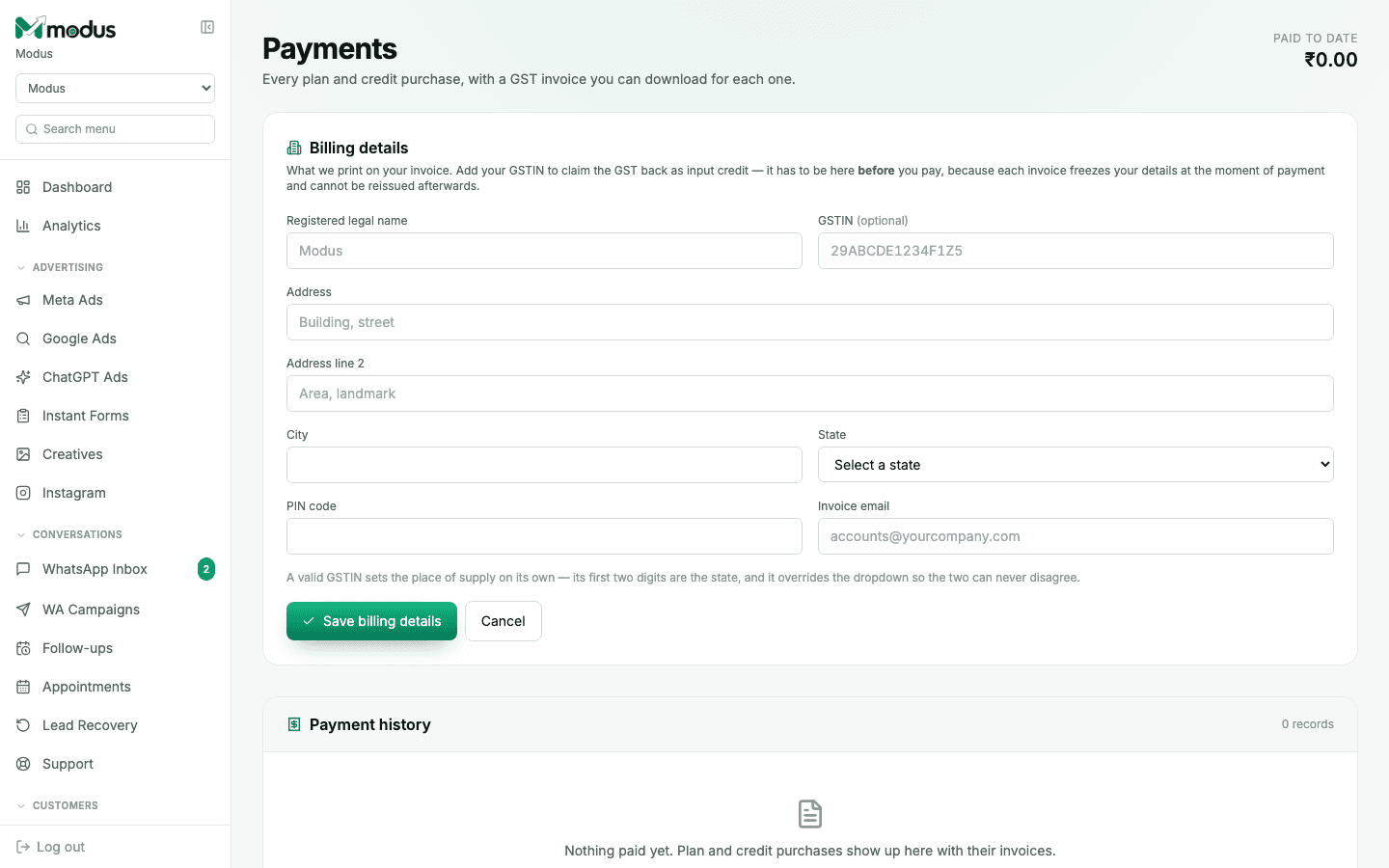
Under Billing & Invoices, fill in Billing details — your registered legal name, GSTIN, and address — before making any purchase. Each invoice freezes these details at the moment of payment and can't be reissued afterward, so a GSTIN added later can't be applied retroactively.
- 05
Download an invoice for every purchase
Every plan or credit purchase shows up in Payment history with a numbered GST invoice you can download — the same one that was emailed to you (with your accountant CC'd, if you set an invoice email) at the time of purchase.
Good to know
A negative credit balance is allowed on purpose if your account has an overdraft allowance set — it's a deliberate postpaid buffer, not a sign anything's broken.
Currency on the Billing & Invoices and Plan pages selects a price list (India vs. international pricing) — it never converts one price into another, so switching currency isn't a way to find a discount.
Questions we get asked
Will my AI agent stop replying if my credit balance hits zero?
Only if your account has enforcement switched on — most accounts ship with metering-only, which tracks cost without ever blocking anything. Check the banner at the top of the Credits page to see which mode you're in.
Can I add my GSTIN after I've already paid?
No — a GSTIN has to be saved before a purchase, because the invoice freezes your billing details at the moment of payment and legally can't be reissued with different details afterward.
Do WhatsApp template sends use up my AI credits?
No — those are billed to you directly by Meta on your own WhatsApp Business Account. Modus meters them for visibility but charges zero credits, since charging you would be double-billing the same message.
See this running on your own numbers.
Every guide on this site is the real product — set up your own agent, ad account and WhatsApp number, and every deal it closes traces back to what produced it.