
Guides/Team
How to Add Team Members in Modus
Team members are the people leads and follow-ups can be assigned to. Adding someone here is separate from giving them a login — you can track a person as an owner for leads before they ever sign in themselves.
- 01
Add someone
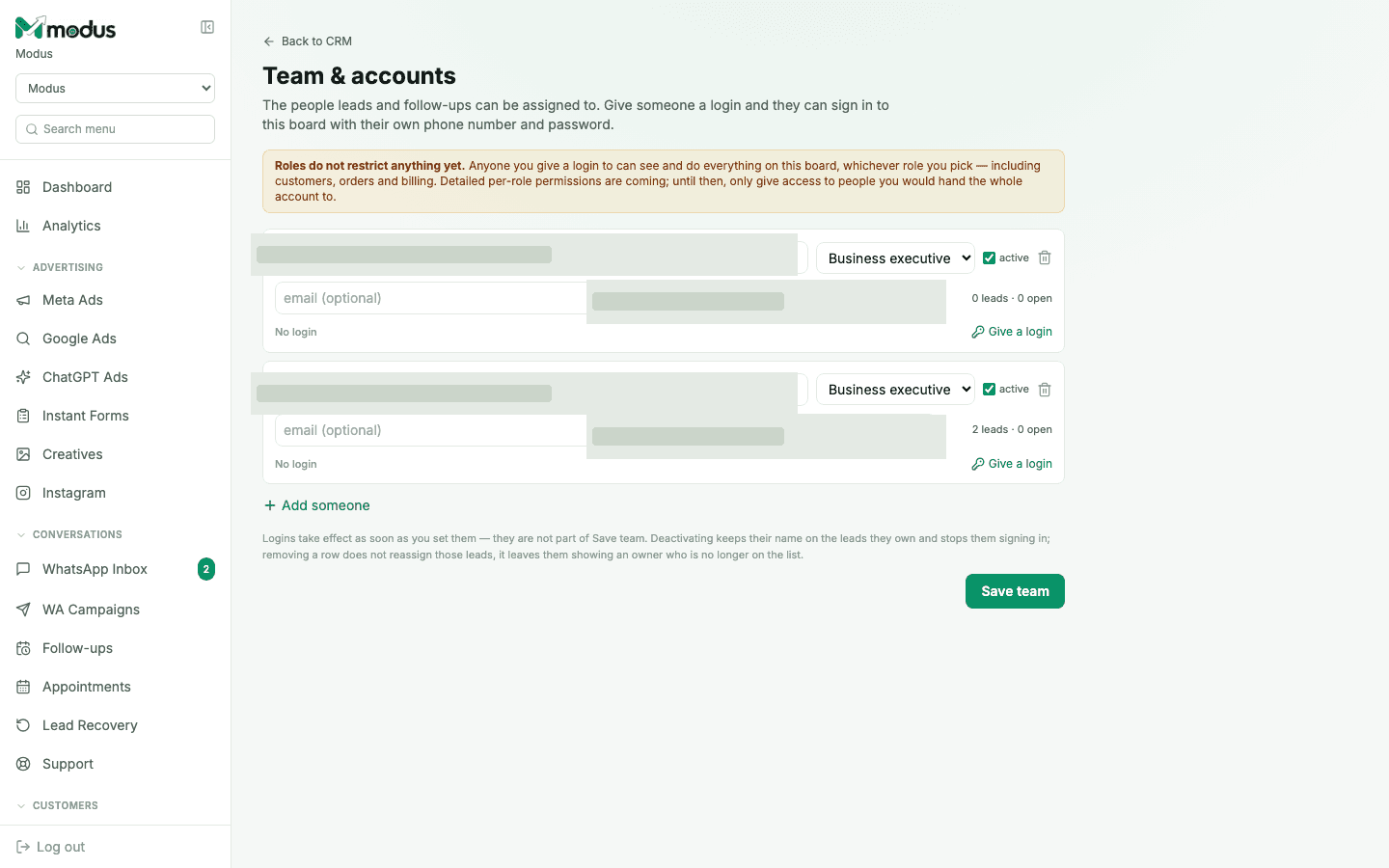
Click Add someone and enter their name and phone number (email is optional). They immediately become available as a lead owner and follow-up assignee, even with no login yet — that's the default, normal state for most of a team.
- 02
Assign a role
Pick from Marketer (campaigns, ads, content), Sales executive (the inbox and pipeline), Developer (API keys, webhooks, the chat widget), or Business executive (orders, revenue, reporting). The role is recorded as a label today — it doesn't yet restrict what a signed-in member can see.
- 03
Give them a login
Click Give a login and set a password for them (minimum length enforced). They then sign in at the same
/loginpage as the owner, with their own phone number — landing on the exact same board. - 04
Deactivate or remove someone
Untick active to immediately stop their sign-in while keeping their name on the leads they already own. Removing the row entirely does not reassign those leads — it just leaves them showing an owner who's no longer on the list, so do this deliberately.
Good to know
A member's role is a job description today, not a permission boundary — anyone with a login sees and can do everything on the board, including customers, orders and billing. Only add a login for someone you'd hand the whole account to.
Logins take effect the moment you set them — they are not part of the "Save team" action, so a new password is live immediately, even before you save anything else on the page.
Questions we get asked
Does a "Developer" role restrict someone to only the Developer tab?
Not yet — every role currently sees the full board. The role exists so the permission model has a subject to attach to once per-role restrictions ship; it's not a boundary today.
Can two people share one login?
Each person should get their own — logins are per phone number, and shared credentials make deactivating one person's access impossible without cutting off everyone using it.
What happens to a deactivated member's open follow-ups?
They stay assigned to that person and stop showing as something they can act on — reassign them to someone active from the CRM if they still need to be worked.
See this running on your own numbers.
Every guide on this site is the real product — set up your own agent, ad account and WhatsApp number, and every deal it closes traces back to what produced it.