
Guides/Developer
How to Use the Modus Developer API (Keys & Webhooks)
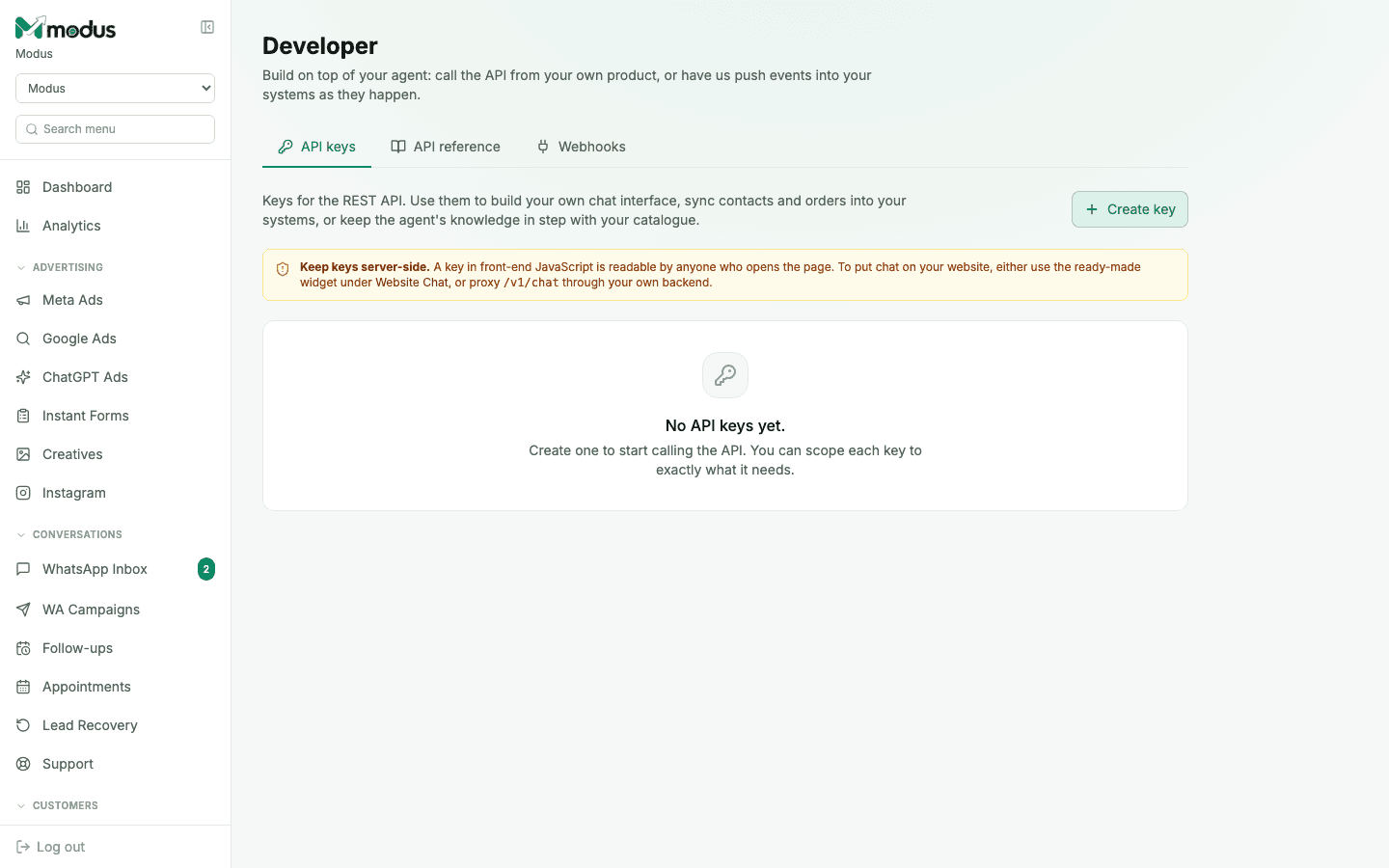
The Developer tab is for building on top of your own agent: calling the REST API from your own product, or having Modus push events into your systems as they happen. It's the same API that powers the website chat widget, exposed directly.
Before you start
- A backend of your own to hold the key — API keys must stay server-side.
- 01
Create an API key
Open Developer → API keys and click Create key. Scope it to exactly what it needs — contacts, orders, tickets, knowledge, or the custom-chat endpoint — rather than granting everything by default.
- 02
Read the API reference
The API reference tab documents every endpoint:
POST /v1/chatfor a custom chat integration (one call per turn,visitorIdas the conversation handle), pluscontacts,orders,ticketsandknowledge. - 03
Keep the key server-side
A key embedded in front-end JavaScript is readable by anyone who opens the page. To put chat on your own website, use the ready-made Website Chat widget instead — or if you need the raw API, proxy
/v1/chatthrough your own backend so the key never reaches the browser. - 04
Subscribe to webhooks for push events
Switch to the Webhooks tab to have Modus notify your own systems the moment something happens — a new lead, an order status change — instead of polling the API for changes.
Good to know
Keys are stored as a one-way hash with just a prefix hint shown back to you — if you lose a key, the fix is creating a new one, not retrieving the old one.
Scope a key narrowly even for a trusted internal integration — a key that only reads knowledge and orders can't be misused to send messages, even if it leaks.
Questions we get asked
Can I use an API key to build my own chat widget instead of the built-in one?
Yes, via POST /v1/chat — but proxy it through your own backend. A key that reaches the browser is effectively public.
What's the difference between the API and webhooks?
The API is you asking Modus for data (contacts, orders) on your own schedule. Webhooks are Modus telling you the moment something changes — use webhooks when you want to react in near real time instead of polling.
Does a scoped key still see other tenants' data?
No — every key is bound to your business only; scoping controls which of your own endpoints it can call, not whose data it can see.
See this running on your own numbers.
Every guide on this site is the real product — set up your own agent, ad account and WhatsApp number, and every deal it closes traces back to what produced it.