
Guides/Account
How to Edit Your Business Profile in Modus
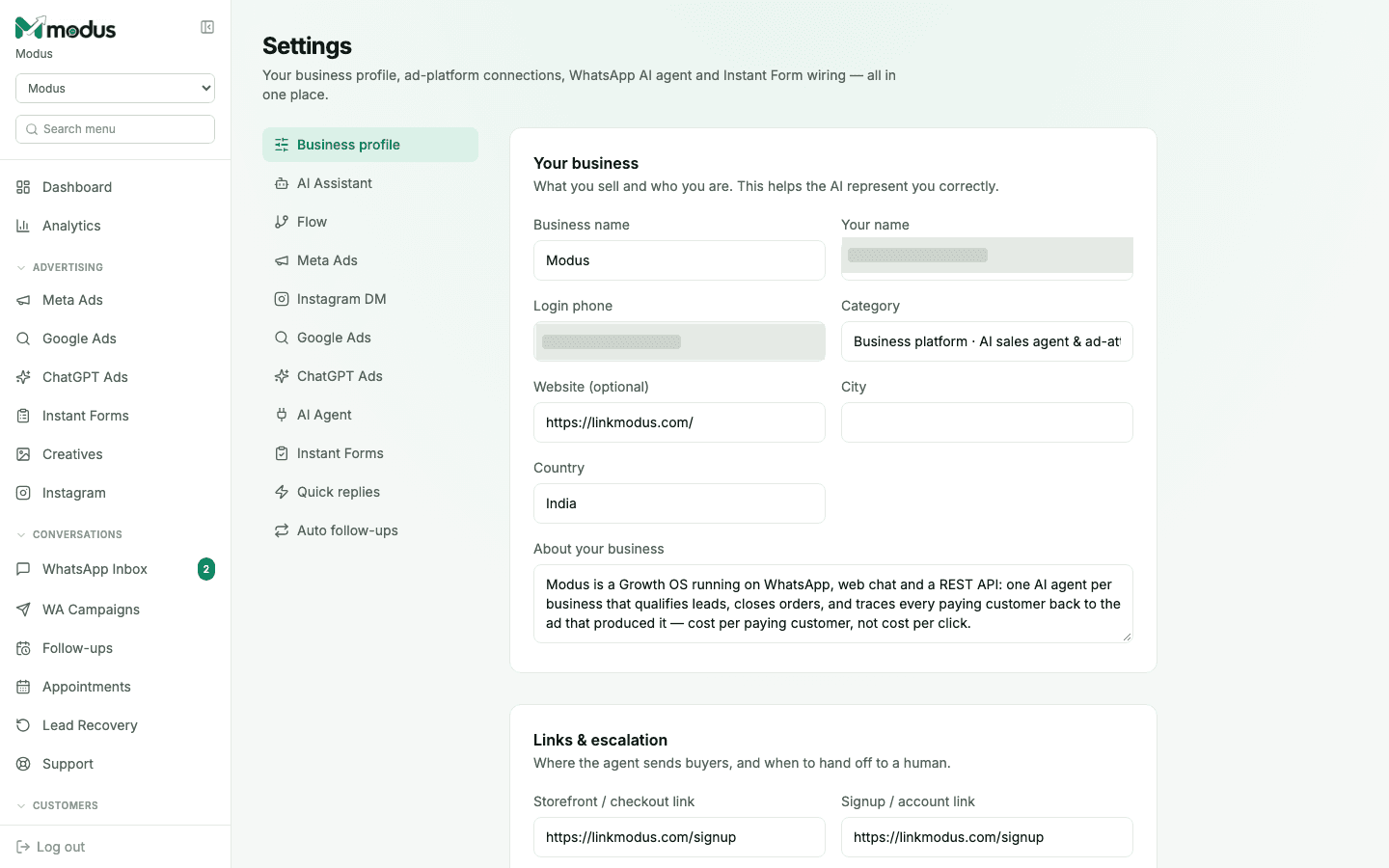
The Business profile is the same form you filled in at signup — your business name, category, and a short description the AI uses to represent you correctly. It's never locked after onboarding; come back and edit it any time your business changes.
- 01
Update the basics
Business name, category, website, city and country — this is what the AI (and any AI-drafted ad campaign) treats as ground truth about who you are.
- 02
Write (or rewrite) "About your business"
This short description feeds both the AI Assistant's context and the "Write one from my business" draft generator on the Meta/ChatGPT Ads wizards — a clearer description here means a better first draft everywhere else.
- 03
Set your links & escalation
Under Links & escalation, set the storefront/checkout link and signup/account link the agent should send buyers to, and where it hands off to a human when a conversation needs one.
- 04
Save changes
Nothing here needs a separate publish step — save and the AI Assistant, ad drafts and everywhere else this profile feeds into pick it up immediately.
Good to know
Keep "About your business" current as your offer changes — it's reused as the seed for AI-drafted ad copy, so a stale description quietly produces stale-sounding ad drafts too.
This form is also the exact one shown during first-run onboarding — nothing changes structurally after signup, so revisiting it later feels the same as filling it in the first time.
Questions we get asked
Does editing my business profile affect an AI Assistant playbook I already wrote?
No — they're separate. The business profile is background context (who you are); the AI Assistant's playbook and knowledge docs are what it actually says. Both feed the agent, but editing one doesn't rewrite the other.
Who can edit the business profile?
The tenant owner, by default. An admin can additionally reset the owner's password and manage a short list of owner permissions from tools on this same tab — but the profile fields themselves are the owner's to edit.
Do I need to redo this if I add a second business under one login?
Yes — each business you run has its own profile, since the AI represents each one separately.
See this running on your own numbers.
Every guide on this site is the real product — set up your own agent, ad account and WhatsApp number, and every deal it closes traces back to what produced it.