
Guides/Setup
How to Build a Button-Driven Chatbot Flow in Modus
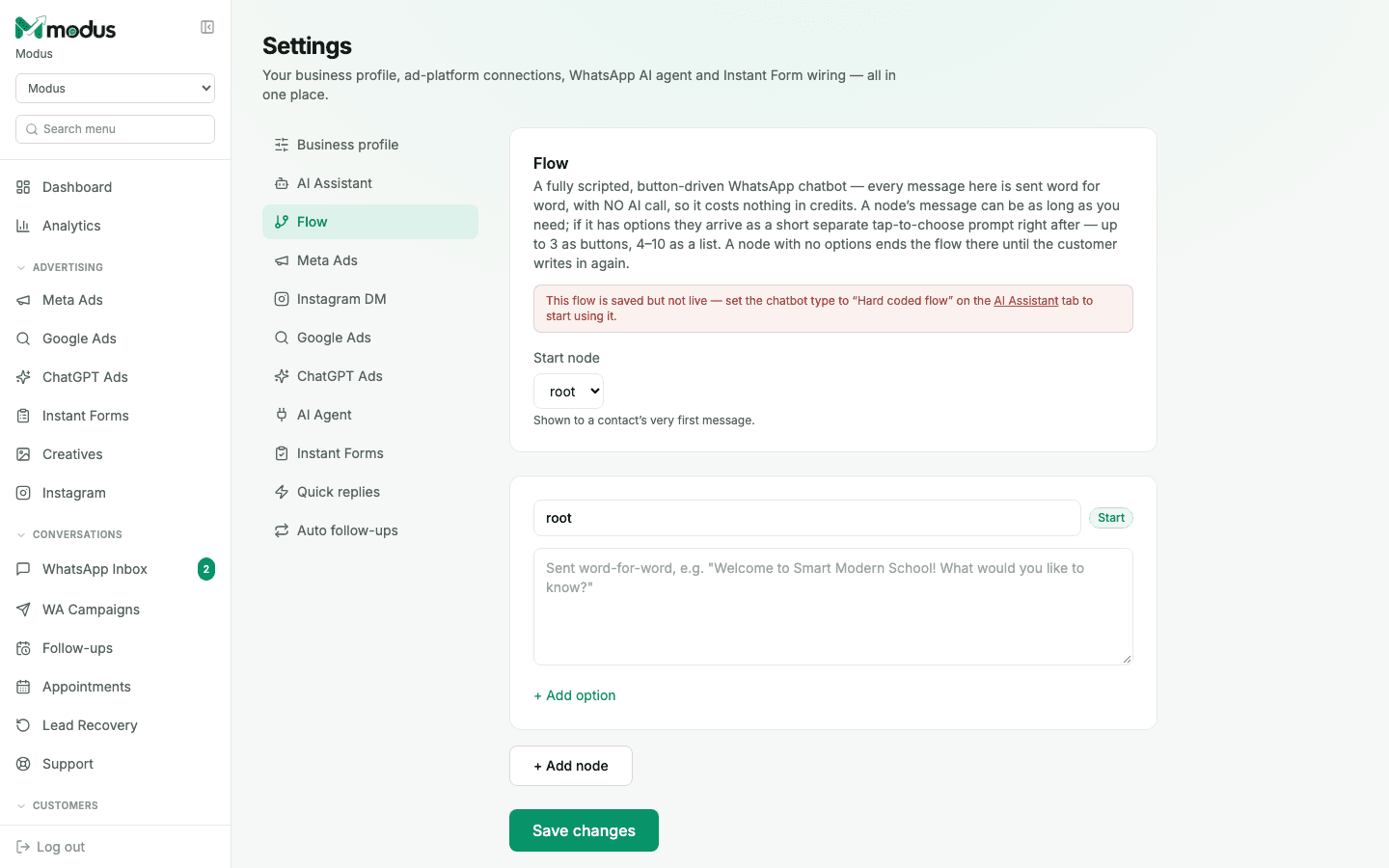
Flow is the opposite of the AI Assistant: instead of the model writing each reply, you script every message word-for-word and the customer taps their way through it. No AI call means it never drifts off-script, and it costs nothing in credits.
Before you start
- Chatbot type set to Hard coded flow on the AI Business Agents tab — a saved Flow does nothing until you switch to it there.
- 01
Set the start node
Every flow needs one node marked as the Start node — this is shown to a contact's very first message, before anything else.
- 02
Write a node's message
Type the exact text to send — this goes out word for word, with no AI involved. A node's message can be as long as you need.
- 03
Add options to branch the conversation
Click Add option to give the customer a choice. Up to 3 options arrive as tap-to-choose buttons; 4 to 10 arrive as a list instead — WhatsApp's own limit, not Modus's. A node with no options ends the flow there until the customer writes in again.
- 04
Point an option at another node, or send media instead
Each option either jumps to another node (continuing the script) or triggers media — an image, video or PDF via a public
httpslink ending in the right extension (.jpg/.pngfor images, and so on). - 05
Save, then switch chatbot type to use it
Click Save changes — a flow saves independently of whether it's live. The page's own banner reminds you: set the chatbot type to Hard coded flow on the AI Business Agents tab to actually start using it.
Good to know
A flow is capped at 60 nodes and 10 options per node — plenty for a structured menu (business hours, locations, common questions), but it's not meant to replace the AI Assistant for open-ended conversation.
Because nothing here calls the model, a Flow-based chatbot can't qualify a lead's intent or score them the way the AI Assistant does — it only routes based on which button was tapped.
Questions we get asked
Does a Flow chatbot use AI credits?
No — every message is sent exactly as written, with no model call, so it costs nothing in credits regardless of how many customers go through it.
Can I mix Flow with the AI Assistant?
That's what "Mix" chatbot type is for — it sends a knowledge-base answer verbatim when one directly covers the question and only calls the AI for what's left. A pure Flow, by contrast, runs entirely on your scripted nodes with no AI call at all.
What happens if a customer types something instead of tapping a button?
A dead-end node (no options) simply waits for them to write in again — there's no free-text understanding in Flow mode, since nothing here involves the AI reading what they typed.
See this running on your own numbers.
Every guide on this site is the real product — set up your own agent, ad account and WhatsApp number, and every deal it closes traces back to what produced it.