
Guides/Setup
How to Show Your Property Page on Your Own Domain in Modus
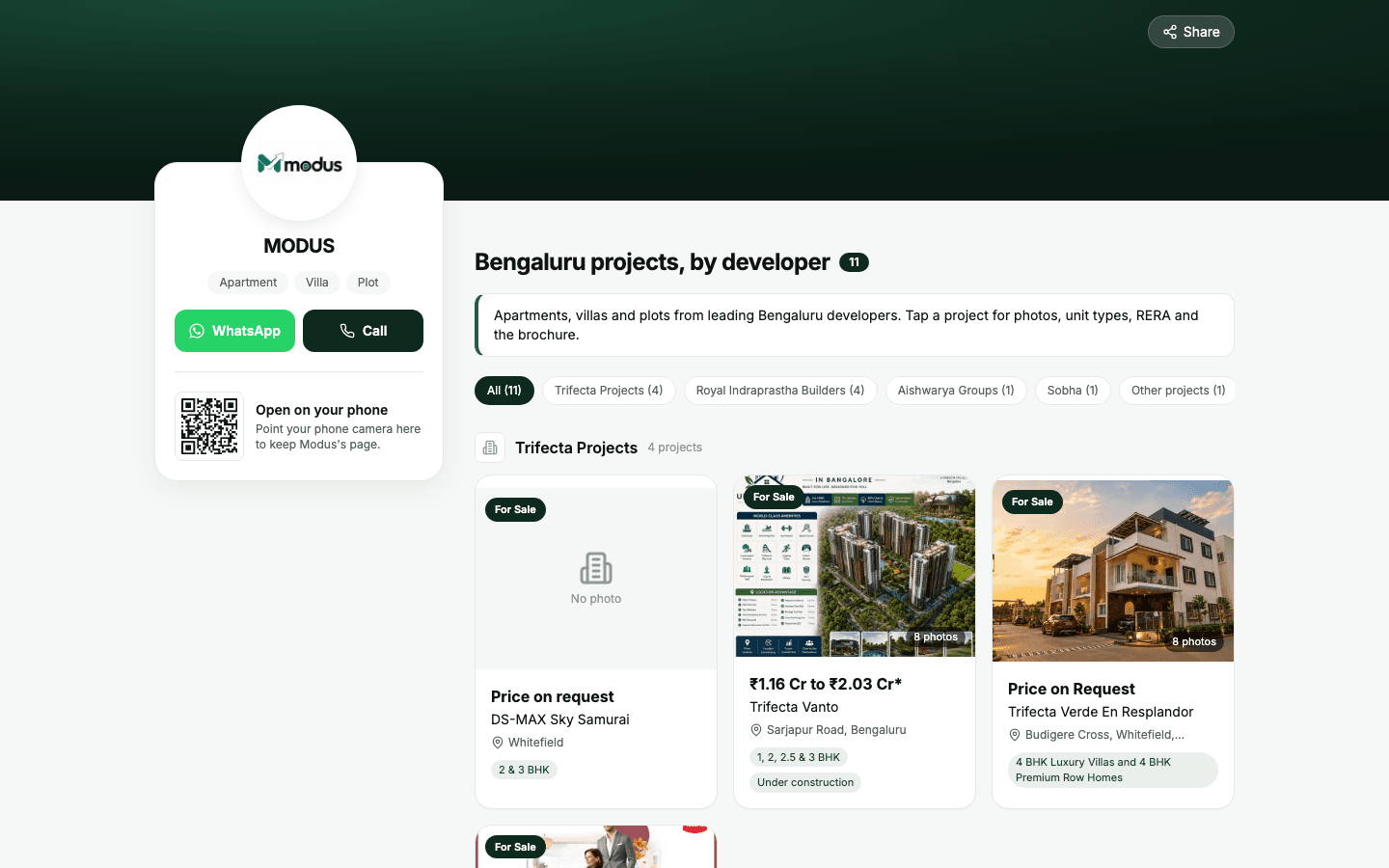
Your Modus property page lists every published project with photos, prices and brochures. By default it lives at linkmodus.com/p/your-business. Connect your own domain and the same page opens at an address like properties.yourdomain.com, with your domain staying in the browser bar and a secure https padlock. You add three records once, at the company where you bought your domain, and Modus does the rest.
Before you start
- The account owner's Modus login. Staff logins cannot connect a domain.
- The login for the company where you bought your domain (GoDaddy, Hostinger, Cloudflare, BigRock, Namecheap…).
- At least one published project in Inventory, so the page has something to show.
- 01
Turn on your public page
In Modus, open Inventory → Settings. Under Sharing, tick Public page with every published project and click Save settings. Your domain will show "not found" until this is on.
- 02
Type the address you want and click Connect
On the same page, scroll to Use your own domain. Type the address, for example
properties.yourdomain.com, and click Connect. Modus now shows a short table of DNS records. Keep this page open: you will copy from it in the next steps. - 03
Open your domain's DNS settings
Log in to the company where you bought your domain and open its DNS settings. On GoDaddy that is My Products → your domain → DNS; on Cloudflare it is your domain → DNS → Records. You will add each record with Add new record (or Add record).
- 04
Add record 1: proves to Google you own the domain
Type: TXT. Name:
@. Value: copy the line startinggoogle-site-verification=from Modus. If Modus shows only two records, skip this one: your domain is already verified. - 05
Add record 2: proves the domain is yours in Modus
Type: TXT. Name:
_modus.properties(or whatever Modus shows). Value: copy the line startingmodus-site=from Modus. This value is different for every account, so always copy it from your own Settings page. - 06
Add record 3: points the address at your page
Type: CNAME. Name:
properties(the first part of your address). Value:ghs.googlehosted.com. If a record namedpropertiesalready exists, such as an old A record or a forwarding rule, delete it first: it blocks the new one. - 07
Wait for it to go live
Back in Modus, the status changes by itself: Waiting for your DNS records, then Connecting (issuing https), then Live. This usually takes 15 to 60 minutes and sometimes a few hours. You can close the page; Modus keeps checking. Click Check now if you want to see the latest.
- 08
Share your new address
When it says Live, share
https://properties.yourdomain.comon WhatsApp, Instagram, your visiting card or ads. Each project has its own page under it, for exampleproperties.yourdomain.com/project-name, and Google indexes your domain, not ours.
Good to know
Type only the short name in the Name box, like
properties, notproperties.yourdomain.com. Most providers add your domain on their own.On Cloudflare, set every one of these records to DNS only (grey cloud). An orange cloud stops the https certificate from being issued.
Do not delete these records later. If you do, the page stops opening on your domain.
Shortlist links your team sends from Modus keep working as they are, on linkmodus.com.
Questions we get asked
Is this a redirect?
No. Your page is served on your own address, and the browser bar keeps showing your domain the whole time.
Can I use my main domain, like yourdomain.com, instead of a subdomain?
Yes, but then Modus shows A and AAAA records instead of a CNAME, and those replace whatever your main domain points at today, usually your website. Most businesses use a subdomain such as properties. or homes. so their website keeps working.
It still says "Waiting for your DNS records" after an hour. What now?
Check that each Name and Value matches Modus exactly, that there is no other record with the same name as the CNAME, and on Cloudflare that the cloud is grey. The message under the status tells you which record Modus cannot see yet.
Do I need to buy an SSL certificate?
No. The https certificate is issued for free automatically once the records are in place, and renewed for you.
Can I change the address later?
Yes. Click Disconnect, then connect the new address. Your page stays at linkmodus.com/p/your-business in between.
See this running on your own numbers.
Every guide on this site is the real product — set up your own agent, ad account and WhatsApp number, and every deal it closes traces back to what produced it.