
Guides/Setup
How to Set Up Quick Replies in Modus
Quick replies are canned messages your team inserts by hand — nothing to do with WhatsApp Templates, which need Meta's approval, and nothing to do with what the AI says on its own. Type / followed by a shortcut in the inbox, and the saved text drops in, ready to send.
- 01
Open Quick replies
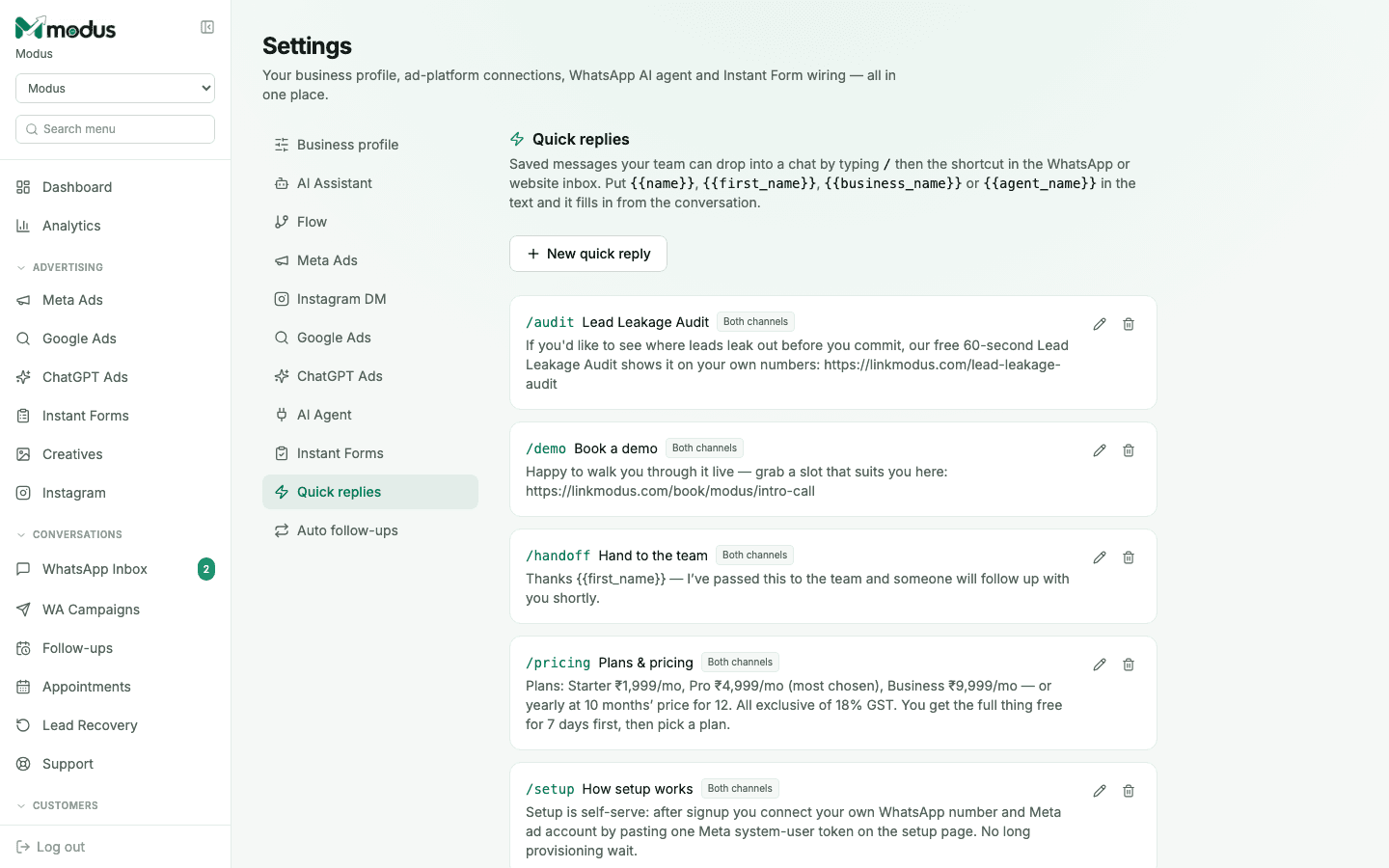
In Settings → Quick replies, you'll see every saved reply with its shortcut code, title, which channel it applies to, and the message itself.
- 02
Create one
Click New quick reply and set a short code (what you'll type after
/), a title (for your own reference), the message body, and which channel it's valid on — WhatsApp only, website chat only, or both. - 03
Use placeholders that fill in from the conversation
Put
{{name}},{{first_name}},{{business_name}}or{{agent_name}}anywhere in the text and Modus fills them in from the open conversation at the moment you insert the reply — so one saved reply still reads as personal. - 04
Insert it while replying
In the inbox, type
/followed by the code (for example/pricing) while composing a reply — the saved text expands in the browser before you send, so you can still edit it in place before it goes out. - 05
Edit or delete as your answers change
Click the pencil icon on any quick reply to update its wording, or the trash icon to remove it. Nothing about editing a quick reply needs Meta's approval, since it's plain text sent as a normal message, not a Template.
Good to know
Quick replies are plain text, not WhatsApp Templates — they only work inside an active conversation (the 24-hour window on WhatsApp), never as a way to message someone cold. For that, you need an approved template.
A useCount on each saved reply (visible when editing) is a fast way to see which canned answers your team is actually reaching for — worth pruning the ones nobody uses.
Questions we get asked
Do quick replies need Meta's approval like Templates do?
No — they're expanded in your browser before sending as a normal free-form message, so they only work inside an open conversation window, and never need approval.
Can the AI use quick replies on its own?
No — quick replies are strictly a manual tool for your team typing in the inbox. The AI answers from the Knowledge DB and playbook, not from this list.
What happens if I use a placeholder like {{name}} and the contact has no name on file?
It fills in with whatever is on record for that field, which may be blank — worth checking the preview before sending on a contact with incomplete details.
See this running on your own numbers.
Every guide on this site is the real product — set up your own agent, ad account and WhatsApp number, and every deal it closes traces back to what produced it.