
Guides/Conversations
How to Send WhatsApp Broadcast Campaigns & Templates in Modus
Outside the 24-hour reply window, WhatsApp only allows messages built from a template Meta has approved in advance. WA Campaigns is where you manage those templates and send them — once, or on a schedule — to an audience you describe in plain language or upload as a CSV.
Before you start
- A live WhatsApp connection (Settings → AI Agent) — templates sync against your own WABA.
- 01
Sync and review your templates
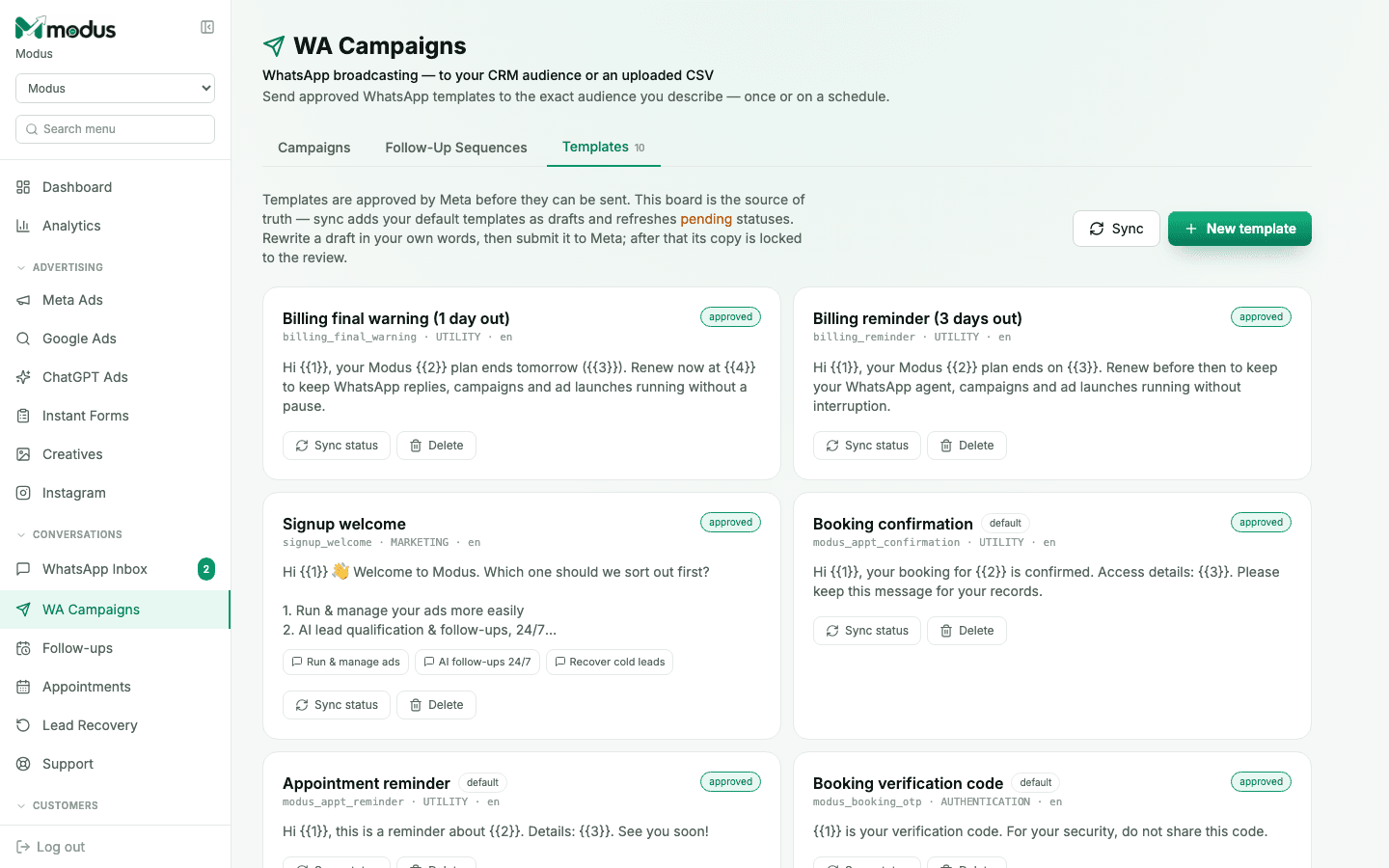
Open WA Campaigns → Templates. Click Sync to pull your default templates in as drafts and refresh the approval status of anything pending. Each template shows its category (UTILITY, MARKETING, AUTHENTICATION), language, and current Meta status.
- 02
Write and submit a new template
Click New template, write the message in your own words — using {{1}}, {{2}} style placeholders for anything that varies per recipient — and submit it. Once Meta approves it, its copy is locked; to change the wording later you submit a new template rather than editing the approved one.
- 03
Launch a campaign
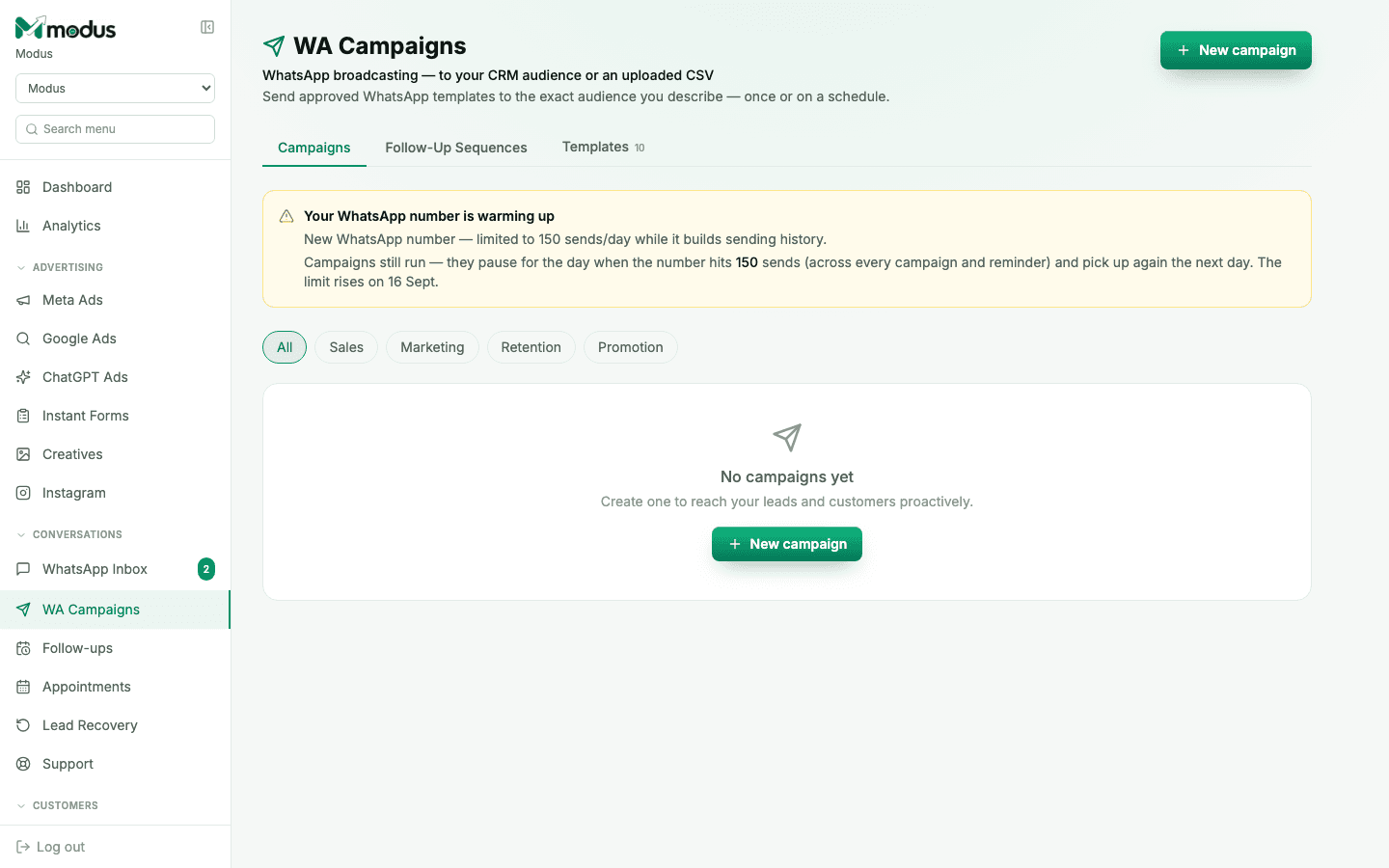
Switch to the Campaigns tab and click New campaign. Pick an approved template, describe the audience in plain language (Modus compiles it into filters against your CRM) or upload a CSV of numbers, and choose to send once or on a schedule.
- 04
Let it pace itself
A campaign materialises its whole audience up front, then sends in batches with a pause in between — so you always know how many are queued, sending, sent, or skipped. If your WhatsApp number is new, sends are capped per day while it builds sending history; the campaign simply picks up again the next day rather than failing.
Good to know
If Meta starts throttling or blocking a run, the campaign pauses itself rather than burning through your number's reputation — you'll see why, and resume it manually once you've fixed the underlying issue.
A default template (like the appointment reminder or booking confirmation) is used automatically until you write and approve your own — you don't have to set one up before appointments or billing reminders start working.
Questions we get asked
Why can't I just send a normal message to a cold list?
WhatsApp's policy only allows free-form messages within 24 hours of the customer messaging you first. Anything outside that window — including any first outbound message to a lead — must be an approved template.
How long does template approval take?
That's Meta's call, not Modus's — usually minutes to a few hours for a straightforward UTILITY or MARKETING template. Sync periodically to pick up the status change.
Can I target only WhatsApp contacts, not my website leads?
Yes, automatically — a campaign's audience is always WhatsApp-reachable contacts, because a website visitor's "phone" is a synthetic identity, not a dialable number.
See this running on your own numbers.
Every guide on this site is the real product — set up your own agent, ad account and WhatsApp number, and every deal it closes traces back to what produced it.